
How to Organize and Archive TikTok Content in 2026: The Ultimate Workflow Guide
2026-10-09
5 min read
Nabil Wassim
Tutorial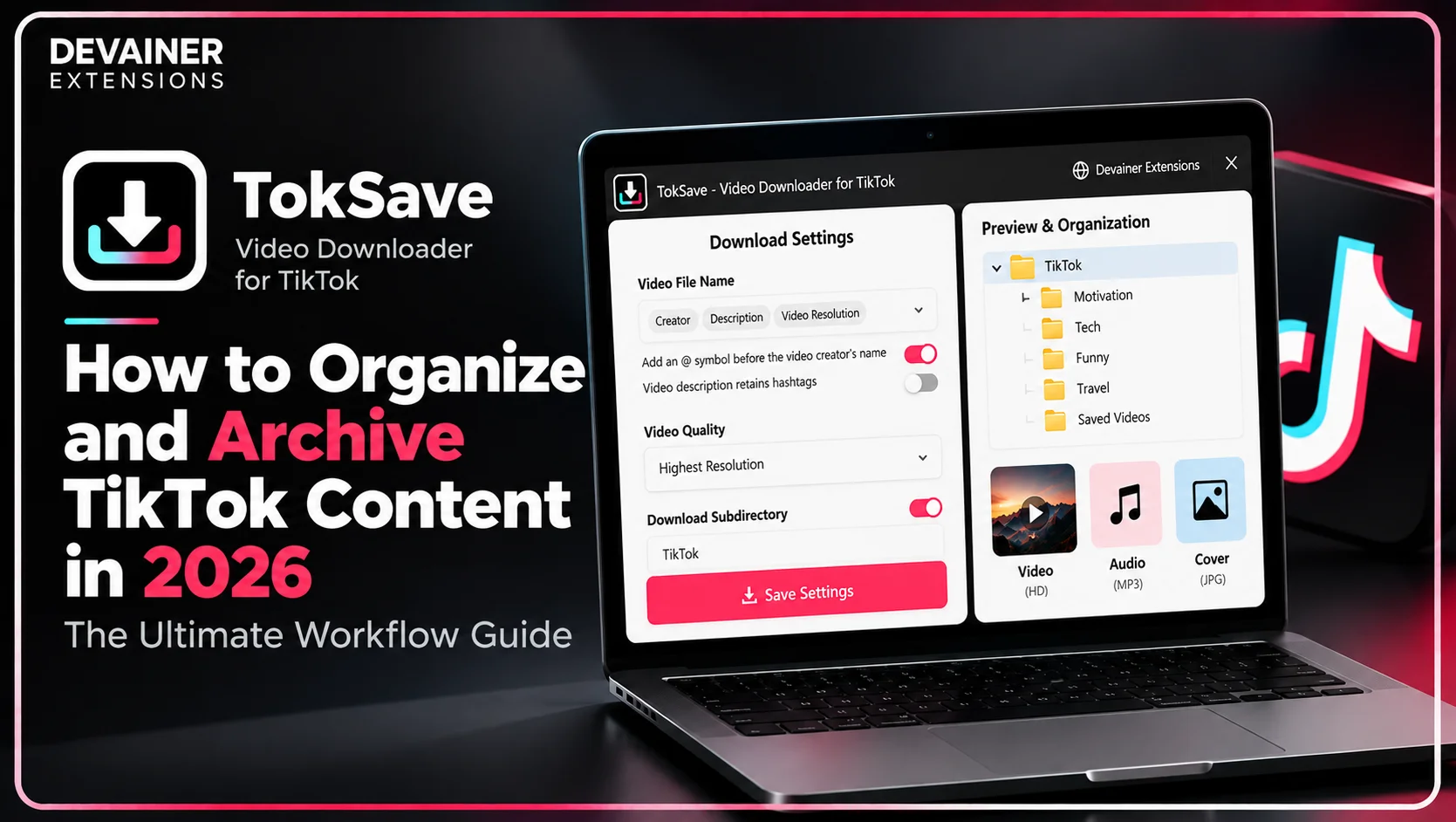
Master how to organize and archive TikTok content 2026! Sort HD videos, manage custom subdirectories, and streamline your media workflow safely using TokSave.
How to Organize and Archive TikTok Content in 2026: The Ultimate Workflow Guide
Mastering how to Organize and Archive TikTok Content 2026 has become an essential operational skill for digital marketers, academic researchers, and multimedia content curators operating in 2026. As short-form video platforms continue to dominate the digital media landscape, professionals collect thousands of video clips for offline viewing, trend analysis, and source material documentation for creative projects. However, relying on external web converters and random storage pathways creates digital chaos that hinders workflow productivity.
When saved video clips remain scattered without clear categorization or labeling, professionals waste valuable working hours searching for required files.
Replacing random saving habits with an intelligent local archiving system ensures a smooth, organized production pipeline for all digital assets.
In this comprehensive 2026 content productivity guide, we will analyze the administrative challenges of chaotic archiving, examine the technical features of file organization, and outline a practical 3-step workflow powered by TokSave - Video Downloader for TikTok.
Operational Challenges of Traditional Archiving and File Chaos
Before adopting advanced archiving systems, production teams must understand the operational losses caused by manual and traditional media-saving methods.
1. Wasted Time on Searching and Random Filenames
When users copy video links and paste them into external web utilities, downloaded files typically carry random, uninformative numbers (such as video_104928.mp4). This lack of clear labeling makes locating a specific clip impossible without opening every single file.
Modern tools like TokSave allow automated filename customization using author handles or video descriptions, preventing digital clutter at the source.
2. Security Risks and External Server Dependency
Traditional cloud conversion websites require leaving the native viewing platform and routing links through annoying ad networks that expose devices to unwanted tracking software.
Secure archiving requires tools that operate directly inside your browser without exposing your device or browsing history to external risks.
Transforming TokSave into an Intelligent Digital Archive System
While basic extensions treat downloads as temporary actions, TokSave - Video Downloader for TikTok is engineered with advanced features to support professional archiving.
1. Custom Subdirectory Structuring and Automated Naming
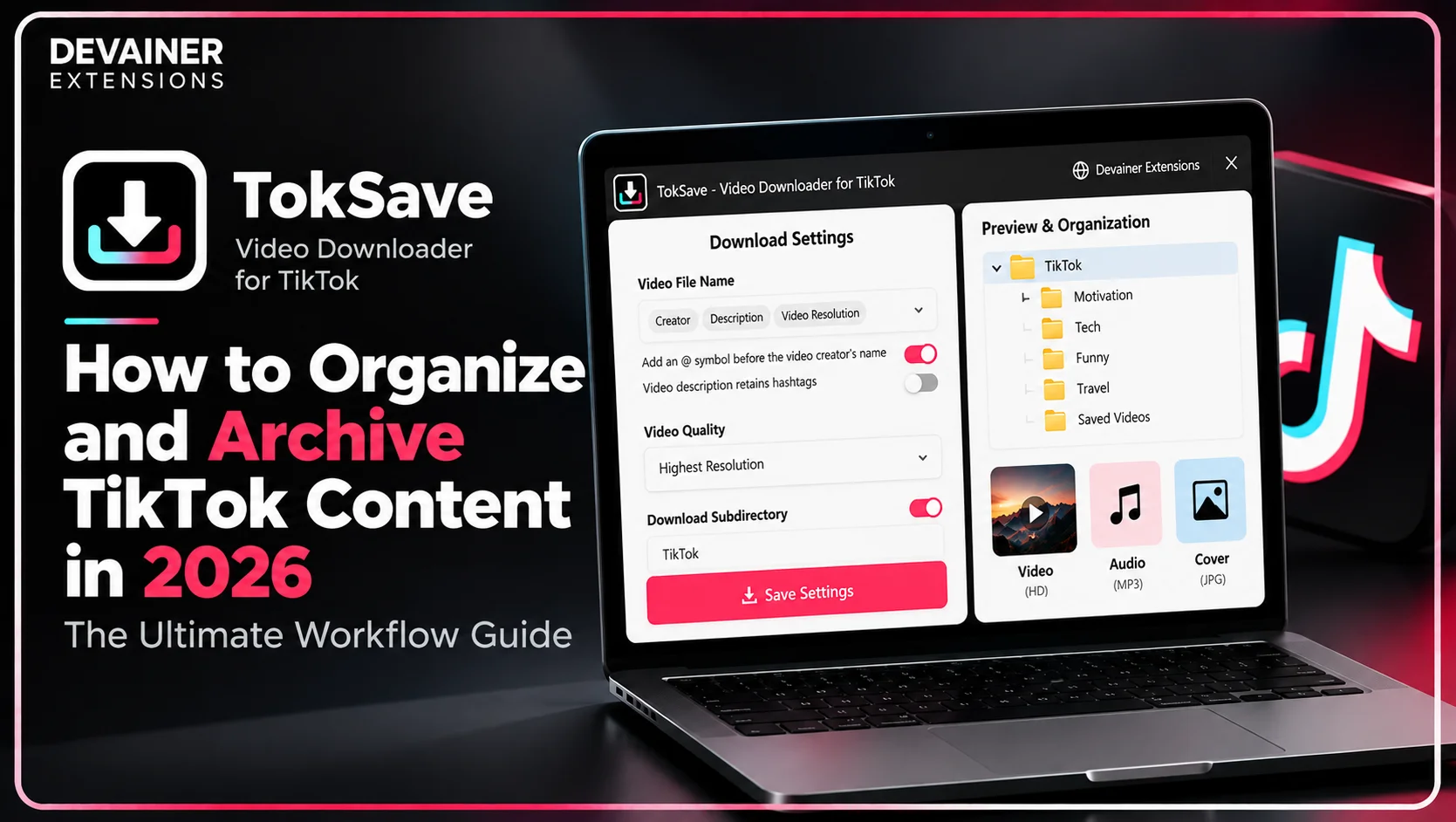
TokSave supports creating custom subdirectories on your computer and sorting downloads based on predefined criteria. You can automatically save each creator's video clips into independent folders.
This structural organization simplifies file retrieval and usage in video editing software or analytical studies within seconds.

2. Downloading 3 Core Media Asset Types
Successful archiving is not limited to video alone; it includes preserving original audio tracks and visual cover images. TokSave enables you to download Full HD videos, extract pristine audio tracks, or save cover images with a single click.


3. Seamless Real-Time Download Tracking
The extension provides real-time snackbar notifications to track file-saving progress directly to your custom local folder, ensuring complete archives without errors.
Building an organized TikTok content archive starts with downloading the right media assets in formats that support your workflow. Whether you're collecting HD videos for research, extracting audio tracks for creative projects, or saving cover images for visual reference, understanding the available download options makes long-term file management much easier. For a step-by-step walkthrough, explore our guide on how to download TikTok HD videos, audio, and covers with TokSave, covering media downloading, format selection, and practical features that complement an organized digital archive.
Way 1: Organizing a Library of Educational and Research References
Researchers and students benefit greatly from archiving educational and technical video clips for study and review later.
Building a Local Reference Database
Create main folders for study topics and secondary folders for authors using TokSave. This gives you a rich reference library available for instant offline viewing whenever needed.
Way 2: Archiving Competitor Content for Market Research
Social media analysts save and monitor competitor content to identify successful patterns and campaign structures.
Categorizing Campaigns into Smart Folders
Use automated naming features to classify competitor clips by publishing date or marketing campaign. This organization allows you to evaluate marketing performance with high efficiency.
Way 3: Managing and Structuring Sound and Music Libraries
Content creators rely on an organized archive of sound effects and trending music tracks to enhance their video storytelling.
Isolating and Organizing Audio Tracks
Extract pristine audio tracks from TikTok videos and save them in your primary audio folder to streamline access during video editing sessions.
Way 4: Preserving a Personal Archive for Offline Viewing
Some users need to keep their favorite clips safe from platform algorithm shifts and account deletions.
Protecting Memories and Favorite Content Locally
Local downloading via TokSave ensures your favorite clips remain safely stored in high definition on your personal computer forever.
Way 5: Streamlining Tasks for Team Members and Digital Agencies
Marketing agencies need to deliver organized, indexed files to clients regularly.
Boosting Client Project Delivery Efficiency
Precise labeling features allow you to deliver flawless media archives to clients, elevating your agency's professional reputation.
The Technology Behind Local Privacy and Secure Operation
Handling digital archives requires strict adherence to security standards and protecting data from cloud tracking.
1. 100% Local Privacy with Client-Side Architecture
TokSave operates entirely within your active browser, meaning no links or browsing histories are ever sent to external servers.
2. Comprehensive Language Support and Sustainable Stability
The extension offers a fully localized user interface supporting 60 global languages, operating completely free with zero annoying ads.
The 3-Step Workflow for Content Archiving Using TokSave
Follow this practical 3-step operational guide to manage your digital archive efficiently:
Step 1: Open TikTok Web and Browse Content
Access Platform: Launch Google Chrome and navigate to tiktok.com to activate your session.
View Buttons: TokSave's embedded buttons appear automatically to simplify saving tasks.
Step 2: Select Saving Format and Subdirectory Rules
Choose Format: Select whether you want full video quality, extracted audio, or cover images.
Configure Naming: Set filename patterns and subdirectory rules to classify your archive automatically.
Step 3: Track Downloads and Begin Organizing
Instant Local Saving: Notifications track file saves directly to your custom folder on the computer.
Review Archive: Open your structured folders to leverage content with maximum efficiency.
Technical Comparison of TikTok Content Archiving Tools
To illustrate operational differences, here is a technical comparison between TokSave and traditional websites:
1. Browser Extension Utility (TokSave - Video Downloader for TikTok)
Archiving Speed: Instant 1-click saving inside the native platform interface.
Security & Privacy: 100% Local privacy with zero tracking or external servers.
File Organization: Full support for custom subdirectories and automated naming.
Cost & Fees: 100% Free with zero ads.
Media Versatility: HD video downloads, audio extraction, and cover image saving.
2. External Cloud Conversion Websites
Archiving Speed: Slow; requires manual URL copying and popup navigation.
Security & Privacy: High risk; tracks browsing data.
File Organization: Non-existent; completely lacks folder organization options.
Cost & Fees: Requires paid monthly subscriptions.
Media Versatility: Restricted to basic video formats only.
Frequently Asked Questions (FAQ)
Q: Does TokSave help organize my archive automatically?
A: Yes! The extension allows you to customize filenames and organize downloads into custom subdirectories on your device.
Q: Do external servers interfere with saving my files?
A: Never! TokSave operates 100% locally inside your browser, ensuring no data is stored on external servers.
Q: Does the extension support audio extraction alongside videos?
A: Absolutely! You can choose to download the full video or extract pristine audio tracks and cover images independently.
Q: Is TokSave completely free for unlimited archiving?
A: Yes, the extension offers unlimited download and archiving features with no hidden fees.
Streamline Your Digital Content Archiving Today
Organize downloaded videos into custom subdirectories, extract pristine audio files, and manage local archives securely with zero tracking.
Install TokSaveNabil Wassim
Blog Author
Article Info
2026-10-09
5 min read
Nabil Wassim
Tutorial