
HomeBlogHow to Use Website Tech Stack Audits 2026 for B2B Lead Generation: The $1,000/Client Blueprint
How to Use Website Tech Stack Audits 2026 for B2B Lead Generation: The $1,000/Client Blueprint
2026-10-09
5 min read
Nabil Wassim
Tutorial
Master website tech stack audits 2026! Audit client websites, detect outdated WordPress plugins, and close high-ticket B2B agency deals using TechLens AI.
How to Use Website Tech Stack Audits 2026 for B2B Lead Generation: The $1,000/Client Blueprint
Leveraging website tech stack audits 2026 has emerged as one of the highest-converting B2B prospecting frameworks for web development agencies, cybersecurity consultants, and freelance digital strategists in 2026. Sending generic, generic cold outreach emails offering vague redesign services yields notoriously low reply rates in today's saturated digital market. Modern business owners regularly ignore un-targeted pitches that fail to identify specific operational problems on their existing web properties.
To close high-ticket service contracts consistently, digital agencies must shift from generic pitches to diagnostic sales methodologies.
When sales leads inspect prospective client websites using automated technology detection extensions, they can identify broken security headers, outdated WordPress plugins, missing analytics trackers, and inefficient CMS setups in seconds.
In this comprehensive 2026 monetization guide, we will analyze how technical website audits drive agency sales pipeline growth, evaluate how local browser processing guarantees complete client data privacy, and detail a practical 3-step outreach workflow powered by TechLens AI - Website Technology Analyzer & Tech Stack Detector.
The High Commercial Value of Technical Stack Auditing
Before building an agency prospecting workflow around technology detection, account directors must understand why diagnostic audits transform B2B sales conversations. Business decision-makers rarely buy abstract development promises, but they respond immediately to concrete evidence of technical vulnerabilities.
1. Transforming Cold Pitches into Value-Driven Audits
When an agency outreach specialist sends a prospective client a structured breakdown showing their website runs an outdated CMS version or lacks security headers, the client views the message as a helpful audit rather than spam.
Highlighting specific technical gaps builds immediate authority, proving your agency possesses deep technical competence before a formal sales call is even booked.
2. Premium Pricing for Targeted Migration and Optimization Deals
Proposing a generic website redesign often results in price pushback from price-sensitive business owners. However, pitching a targeted solution that fixes specific security risks, upgrades legacy frameworks, or improves page load speed commands premium contract pricing.
A single diagnostic audit revealing severe plugin vulnerabilities or broken server configurations can easily convert a cold lead into a $1,000 to $2,500 retainer project.
Transforming TechLens AI into an Agency Sales Engine
While casual developers view inspection extensions simply as basic devtools, TechLens AI - Website Technology Analyzer & Tech Stack Detector is engineered with comprehensive diagnostic features designed for commercial B2B sales research.
1. Instant Multi-Category Technology Detection
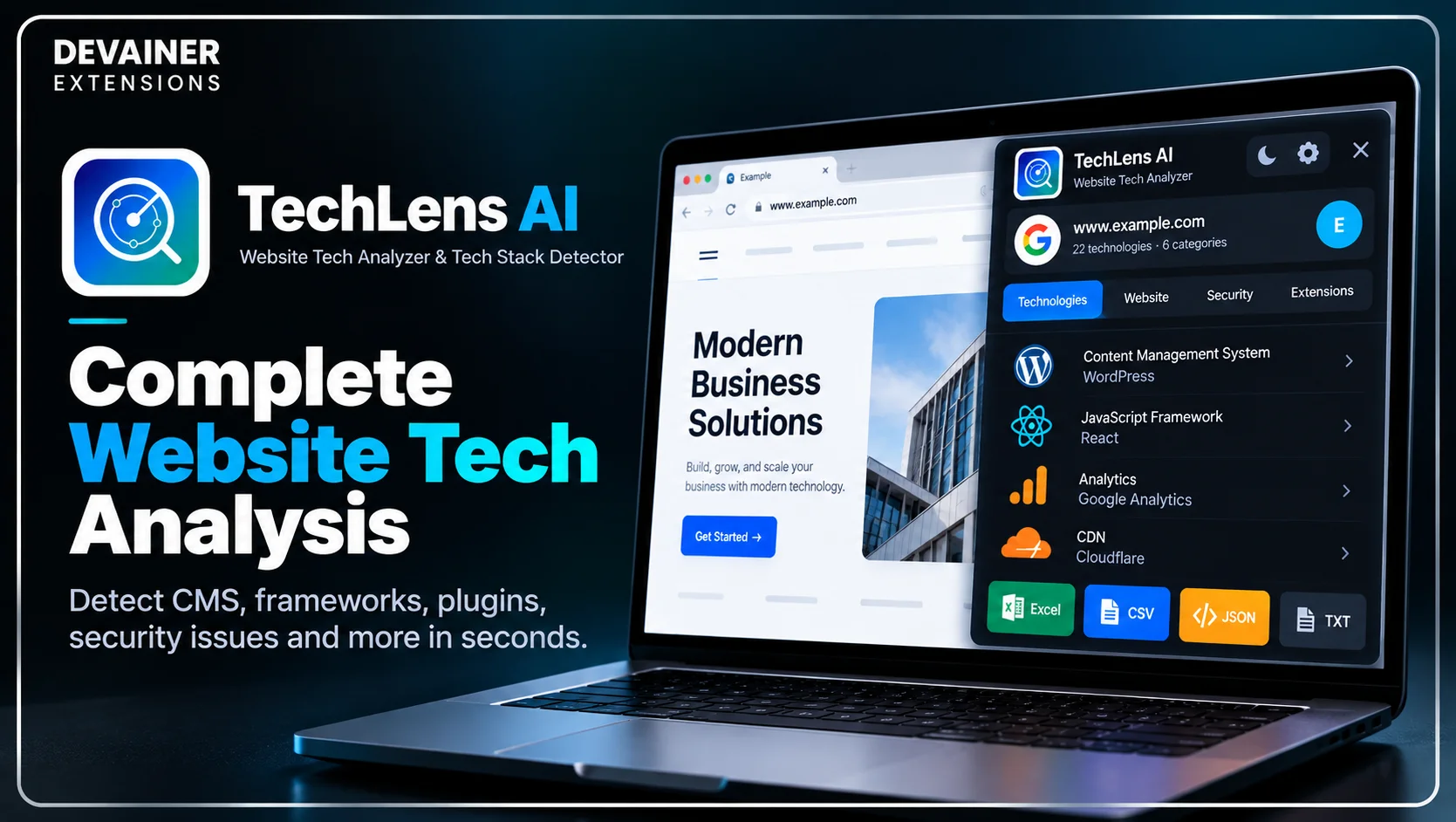
TechLens AI instantly identifies the underlying software ecosystem running on any active web page across 22 distinct technology categories. The extension detects Content Management Systems (CMS), JavaScript frameworks, UI libraries, analytics suites, CDNs, hosting providers, and payment gateways in a single click.
Instead of digging through complex HTML source code manually to guess dependencies, sales specialists gain an immediate overview of a prospective client's entire digital infrastructure.
2. Deep WordPress Theme and Plugin Inspection
WordPress powers a massive percentage of commercial websites, making it the primary target for agency maintenance contracts. TechLens AI performs deep WordPress analysis, identifying active themes and installed plugins alongside direct links to official repositories.
Detecting outdated plugins or abandoned themes gives your sales team exact talking points to highlight security risks during prospect outreach.
3. Security Grade and Server Header Auditing
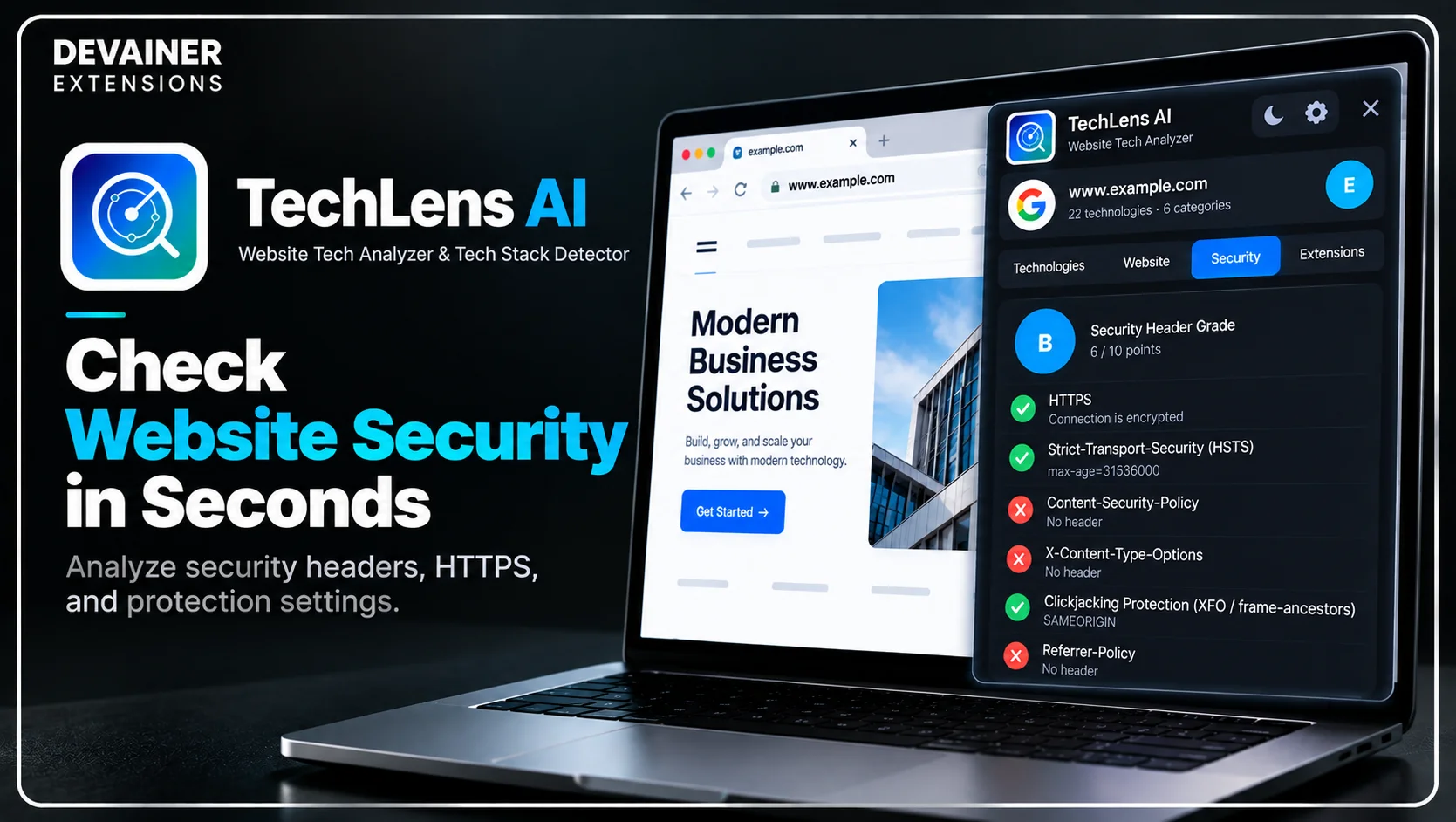
Beyond identifying front-end frameworks, TechLens AI evaluates core security configurations. The extension assesses HTTPS encryption, security headers, clickjacking protections, and potential server-level data leaks.
Including a client's security grade in your initial pitch provides immediate urgency, compelling business owners to schedule a consultation.
Before turning website audits into a profitable B2B lead generation service, it's important to understand how to identify the technologies powering a potential client's website. From detecting CMS platforms and JavaScript frameworks to inspecting WordPress plugins and security configurations, these insights can help you uncover opportunities for technical improvements. For a practical walkthrough, explore our guide on how to analyze any website tech stack with TechLens AI, covering technology detection, website infrastructure analysis, and useful insights for developers and digital agencies.
The Technology Behind Safe Local Infrastructure Analysis
Auditing client websites requires tools that execute scans safely without compromising agency research privacy or broadcasting scanning logs to external databases. Legacy web tools often send audited URLs to cloud servers, exposing your agency's lead list to third-party data tracking.
TechLens AI operates on a 100% Privacy-First Architecture designed for absolute research confidentiality.
1. 100% Client-Side Local Execution with Zero Data Harvesting
TechLens AI runs entirely inside your active Chrome desktop browser session. It operates with zero external backend server logs, meaning your audited URLs, browsing history, and analysis records remain 100% private.
All network inspection and framework parsing occur locally on your machine, preventing external cloud platforms from tracking your agency's prospect list.
2. 1-Click Multi-Format Data Exporting
Converting raw website inspections into professional sales collateral requires structured data outputs. TechLens AI features a 1-Click Data Export engine supporting Excel, CSV, JSON, and TXT formats.
Agencies can export complete technology breakdowns and security metadata into structured spreadsheets, allowing sales teams to populate CRM systems or automated outreach sequences instantly.
Deep Dive: Structuring a High-Converting B2B Audit Outreach Campaign
To scale an agency sales pipeline in 2026, digital strategists must integrate technical stack auditing into a repeatable cold outreach system.
Identifying Ideal Prospect Verticals
Focus outreach efforts on commercial industries where website uptime, transaction security, and brand authority directly drive revenue. E-commerce brands, legal firms, healthcare providers, and SaaS startups cannot afford broken scripts or security warnings.
Targeting businesses running legacy e-commerce platforms or un-optimized CMS instances yields high response rates.
Drafting Problem-Agitator Outreach Copy
When reaching out to decision-makers, lead with specific diagnostic findings from your TechLens AI analysis. Mention exact plugin names or missing security headers discovered during your 1-click audit.
Providing concrete technical proof in sentence one establishes instant credibility and separates your message from generic agency spam.
The 3-Step Blueprint for Closing $1,000 Clients using TechLens AI
Implement this practical 3-step operational guide to audit prospective client websites and close high-ticket agency deals:
Step 1: Install Extension and Audit Target Websites
Install Extension: Add TechLens AI to your Chrome browser directly from the Chrome Web Store.
Navigate to Prospect Site: Visit any business or client website you wish to inspect.
Run 1-Click Audit: Click the TechLens AI icon in your browser toolbar to instantly reveal the full tech stack, installed WordPress plugins, and security grade.
Step 2: Export Structured Diagnostics and Identify Gaps
Review Security Metrics: Inspect the security and header audit section to locate missing HTTPS protections or server leaks.
Export Tech Breakdown: Click export to save the full technology inventory into Excel, CSV, or JSON format.
Isolate Growth Opportunities: Note outdated frameworks, missing analytics tools, or slow CDN configurations to include in your proposal.
Step 3: Deliver Diagnostic Pitches and Close Retainer Contracts
Prepare Audit Summary: Attach a summary of your technical findings to a personalized cold email or LinkedIn message.
Offer Targeted Fixes: Pitch a specific solution, such as a security hardening package, speed optimization overhaul, or CMS migration.
Secure Project Retainer: Onboard the client for an initial $1,000 project or ongoing monthly technical maintenance contract.
Optimizing Agency Brand Authority for High-Ticket Deals
Extracting technical stack data gets your foot in the door, but your agency's public presence determines whether executives trust you with their infrastructure.
1. Positioning Your Agency as Infrastructure Specialists
Frame your service offering around high-value business outcomes like security compliance, conversion rate optimization, and infrastructure modernization. Positioning your team as technical specialists justifies higher contract values.
2. Publishing Diagnostic Case Studies
Share breakdown posts on your agency blog and social channels showcasing how fixing specific tech stack vulnerabilities improved site performance or security for previous clients. Showing real diagnostic work builds long-term industry reputation.
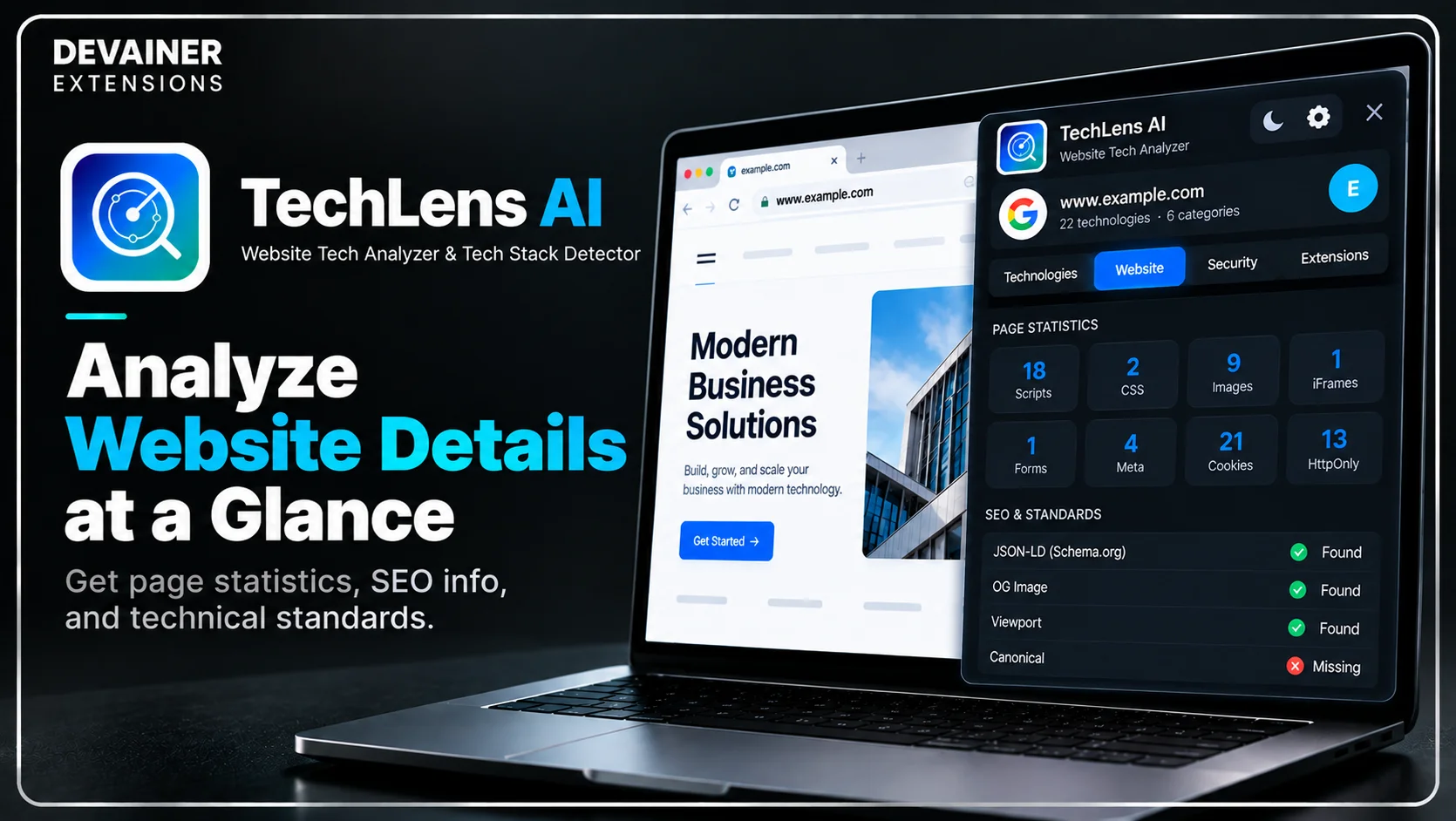
Comparing Technology Inspection Software Models
To help agency leads select the safest research tools, the following evaluation contrasts local session extensions with legacy cloud lookup services:
1. Local Browser-Based Detection (TechLens AI)
Research Privacy: 100% Secure. Operates locally inside your browser with zero external server tracking or URL logging.
WordPress Inspection: Deep plugin and theme detection with direct repository links.
Security Auditing: Integrated security grade evaluation, HTTPS verification, and header leakage checks.
Operating Cost: 100% Free & Unlimited with zero monthly subscription overhead.
Export Options: Seamless 1-click export to Excel, CSV, JSON, and TXT formats.
2. Third-Party Cloud Lookup Platforms
Research Privacy: High Risk. Logs audited URLs on centralized servers, exposing your lead lists.
WordPress Inspection: Basic theme detection often missing specific plugin version numbers.
Security Auditing: Superficial domain checks lacking deep header or clickjacking analysis.
Operating Cost: Expensive monthly plans with strict per-lookup credit caps.
Export Options: Limited export formats requiring enterprise subscription upgrades.
3. Pure Manual Source Code Inspection
Research Privacy: Safe, as analysis occurs directly in your local browser devtools.
WordPress Inspection: Extremely slow; requires manually searching HTML/JS files for hours.
Security Auditing: Requires manual terminal commands and HTTP response header analysis.
Operating Cost: High indirect cost in wasted developer hours and team fatigue.
Export Options: None; requires manual copy-pasting into spreadsheets.
Frequently Asked Questions (FAQ)
Q: Does TechLens AI send audited website URLs to external cloud servers?
A: No, never! TechLens AI operates under a strict Privacy-First (Local) architecture. All analysis executes locally within your open browser tab, ensuring zero data leakage.
Q: Can TechLens AI detect hidden WordPress plugins?
A: Yes! TechLens AI performs deep WordPress inspection, identifying active themes and installed plugins with direct version information and repository links.
Q: What data formats can I export using TechLens AI?
A: You can export complete technology inventories, framework details, and security metadata into Excel, CSV, JSON, or TXT formats with a single click.
Q: Is TechLens AI really completely free and unlimited?
A: Yes! TechLens AI offers 100% full functionality with zero hidden fees, zero lookup limits, and unlimited website auditing.
Ready to Inspect Any Website Tech Stack?
Automate your tech stack research, check security scores, and export clean data in seconds.
Install TechLens AINabil Wassim
Blog Author
Article Info
2026-10-09
5 min read
Nabil Wassim
Tutorial