
HomeBlogHow to Safely Clean Your Instagram Following List with InstaGuard AI: Instagram Unfollow Tool
How to Safely Clean Your Instagram Following List with InstaGuard AI: Instagram Unfollow Tool
2026-06-08
5 min read
Nabil Wassim
Tutorial
Take control of your Instagram growth with InstaGuard AI. Our smart tool helps you track unfollowers, remove inactive accounts, and protect your profile. Try it now.
How to Safely Clean Your Instagram Following List with InstaGuard AI
In the fast-paced world of social media, your Instagram following list is more than just a number; it is a reflection of your community and your engagement potential. Many creators find themselves struggling with "ghost followers"—accounts that don't interact, or worse, people who have unfollowed you but remain in your list. If you are looking for an Instagram unfollow tool that prioritizes your account's health over quick fixes, you have come to the right place.
Why Your Following List Matters
Many users underestimate the importance of cleaning their following list. Instagram’s algorithm thrives on engagement. When your follower-to-following ratio is skewed, or when a large portion of the people you follow do not engage with your content, your overall reach can suffer. Maintaining a healthy, active list is essential for anyone serious about growing their brand or personal presence.
Why InstaGuard AI Stands Out
The market is saturated with automation tools, but most of them come with a hidden cost: your account security. Many extensions require you to input your credentials into external servers, which is a major red flag that can lead to permanent account suspension.
InstaGuard AI changes the narrative. Here is why it is the safest choice for creators: On-Device Processing:
Unlike other tools, InstaGuard AI ensures that your Instagram credentials never leave your browser.
No External Servers: We believe your data belongs to you. We do not store or process your information on any external servers, keeping your privacy intact.
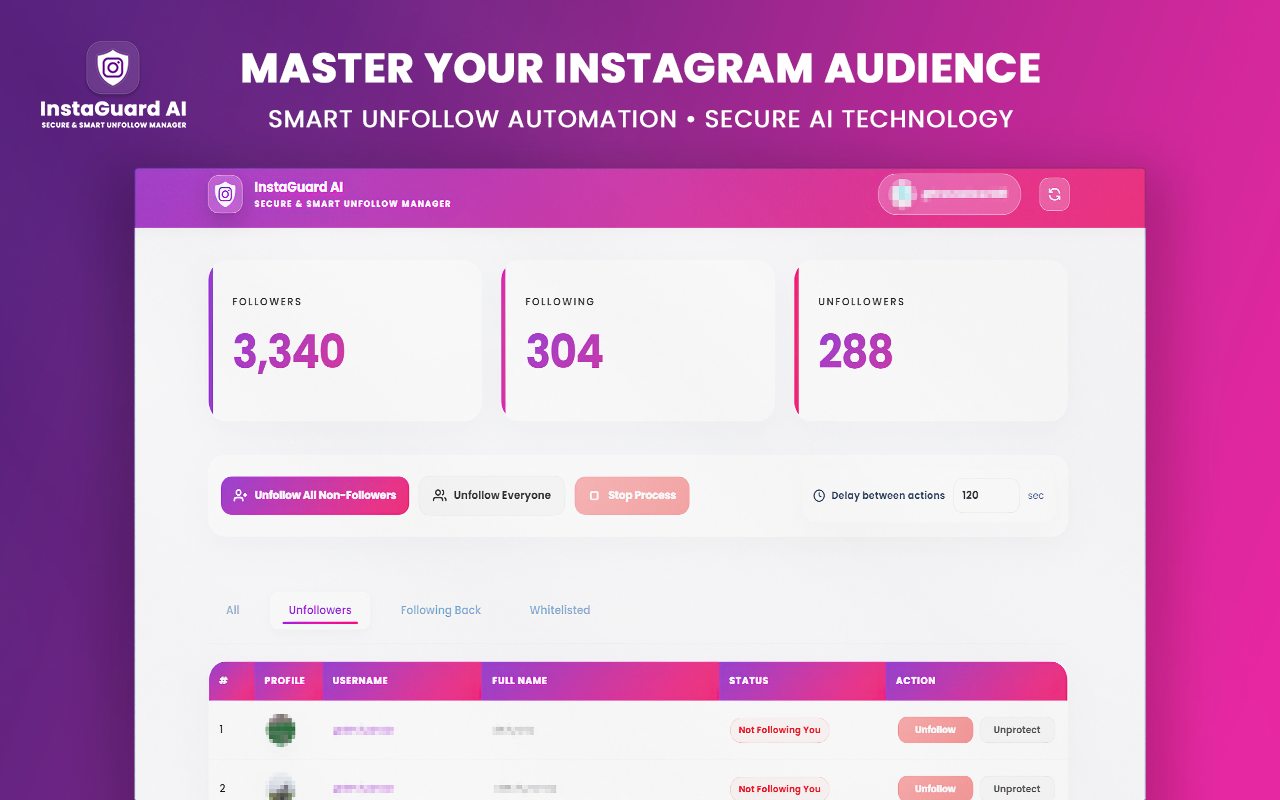
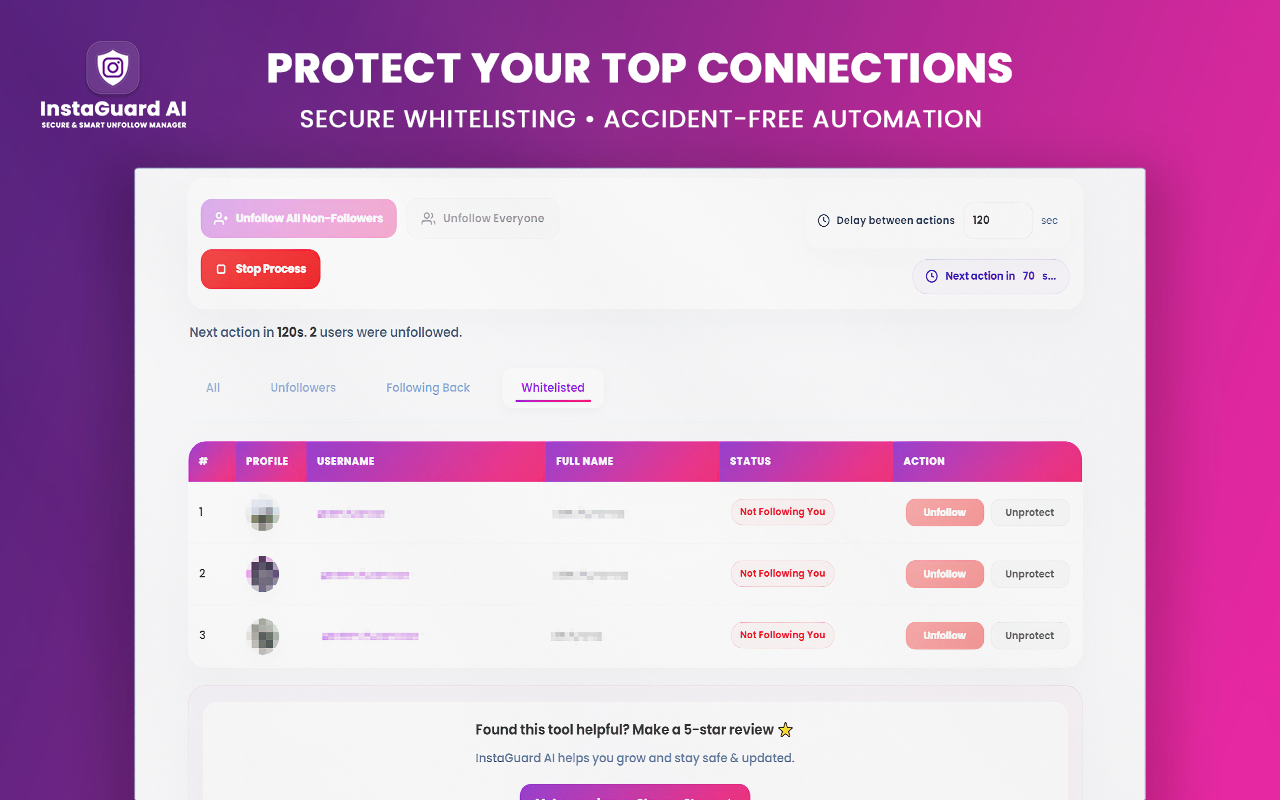
Smart Action Protection: Our built-in safety triggers monitor your activity. If you approach Instagram’s strict daily limits, the process pauses automatically, protecting you from shadowbans and account restrictions.
How to Clean Your Account Safely
Cleaning your profile does not have to be a stressful manual task. With InstaGuard AI, you can reclaim your feed in four simple steps:
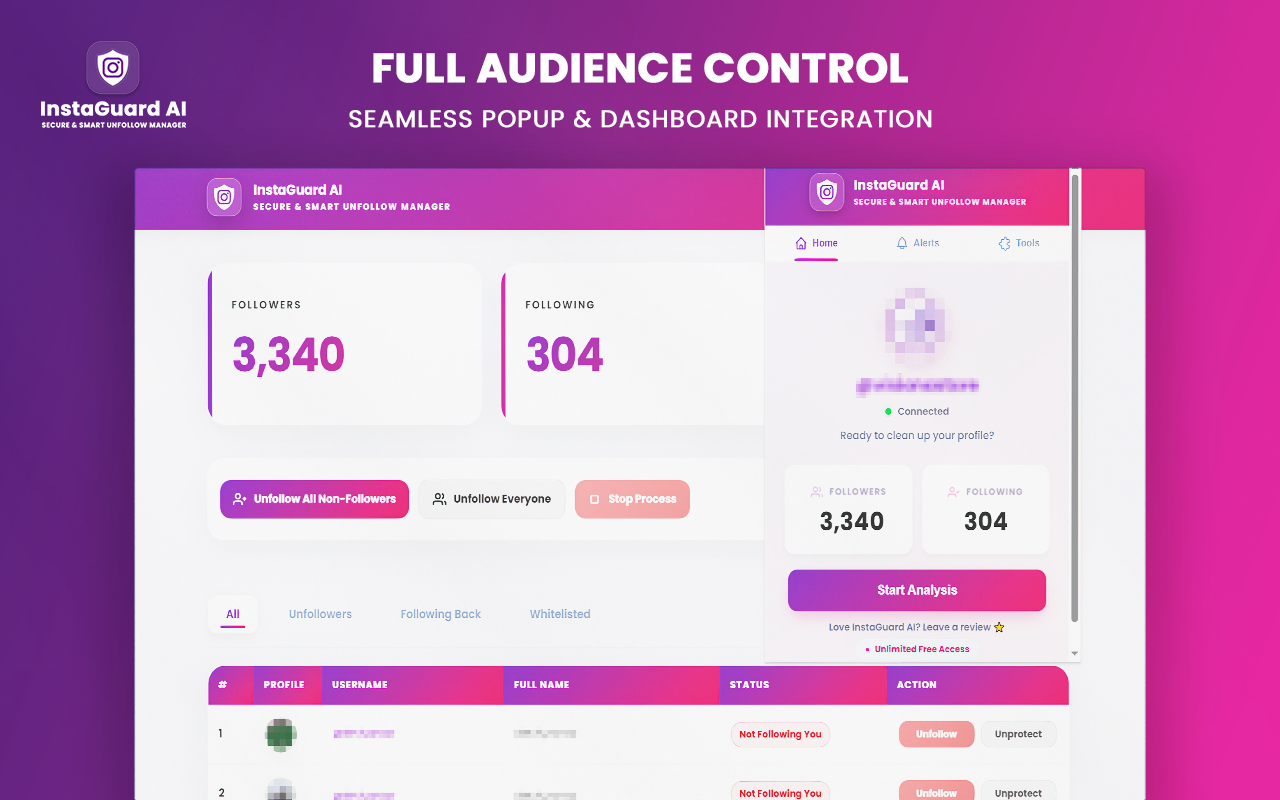
1. Install and Connect After installing the extension, simply open your Instagram profile in your browser. The tool works seamlessly with your active session, meaning you don't need to perform any risky login procedures.
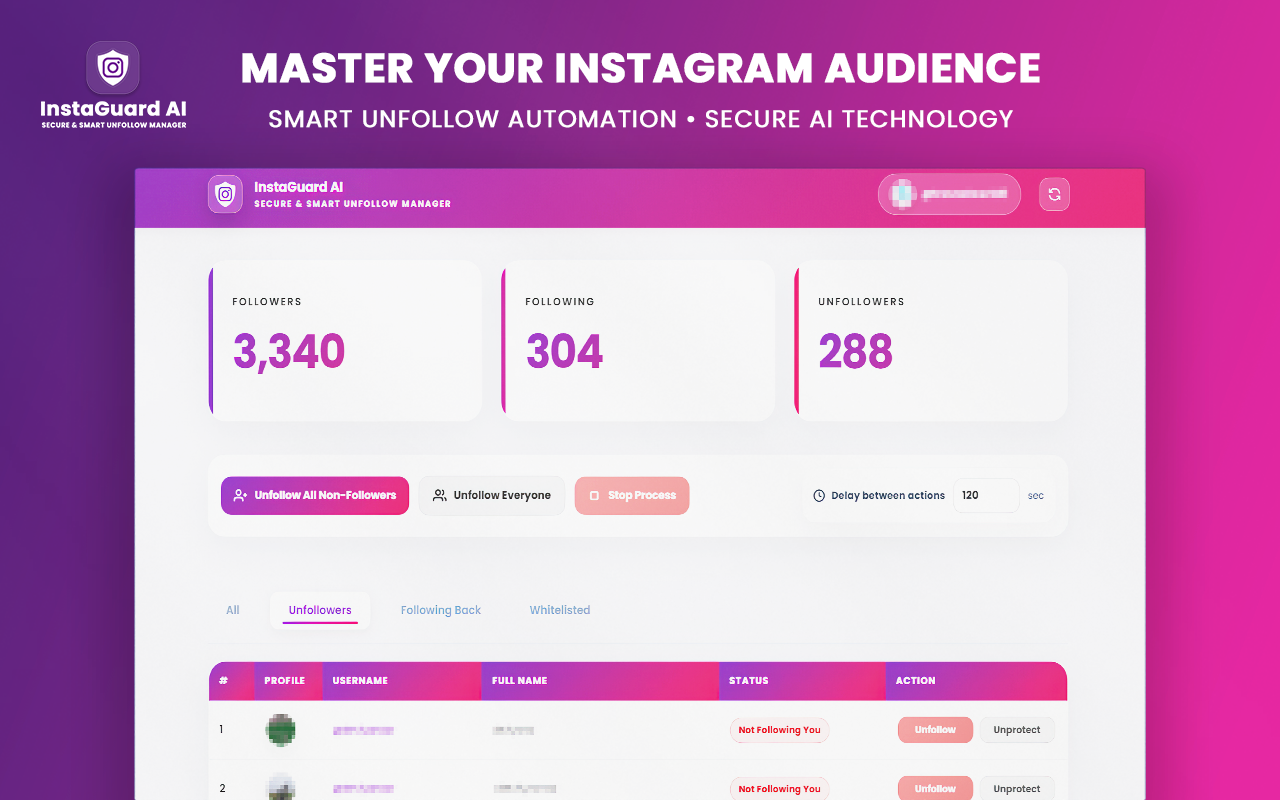
2. Scan Your Following Click the scan button to let the extension analyze your following list. In minutes, you will see a clear breakdown of accounts that are not following you back.
3. Build Your Whitelist This is our favorite feature. Use the Whitelisting System to mark your favorite creators, friends, or brand partners. Once added, the auto-unfollow tool will skip them every single time, no matter what criteria you set for unfollowing.
4. Enable Smart Automation Once your whitelist is set, you can initiate the auto-unfollow process. The tool is designed to mimic natural human behavior, making your activity look organic to the Instagram algorithm.
Real-Time Alerts and Comprehensive History
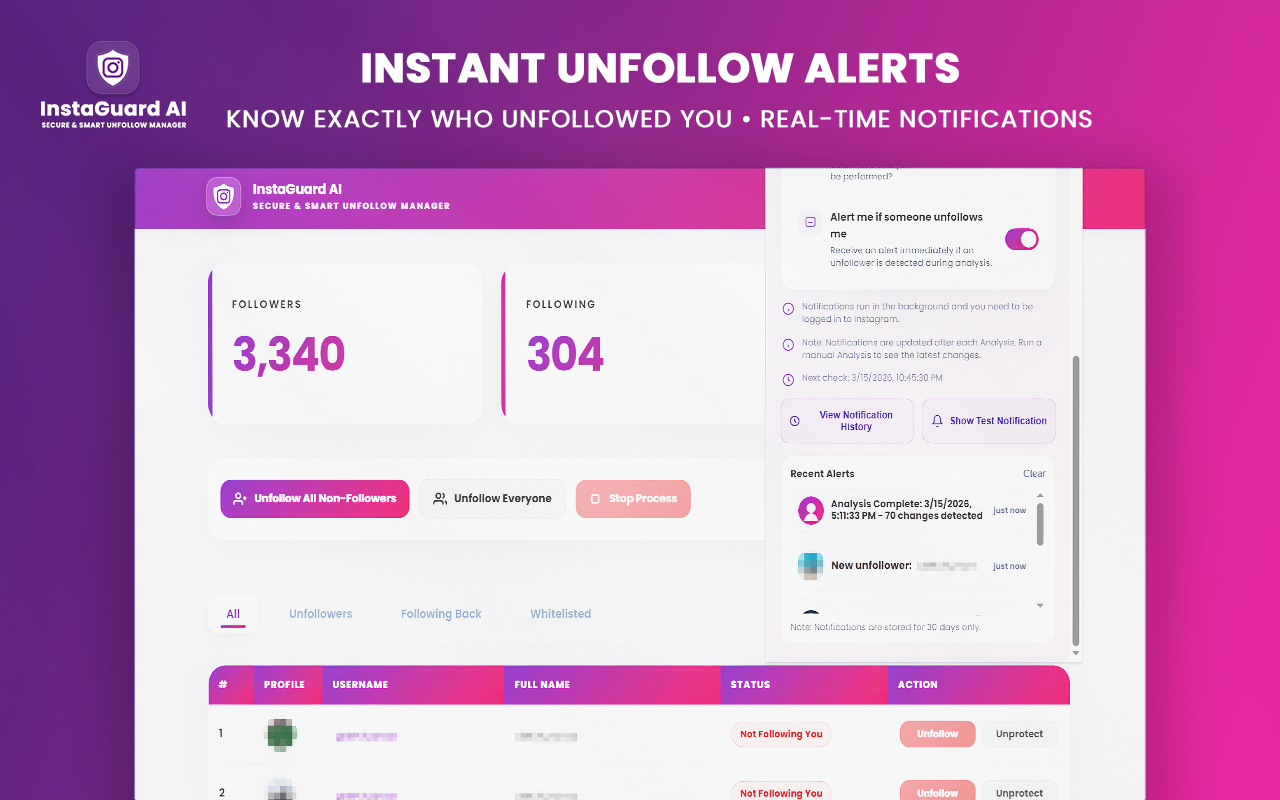
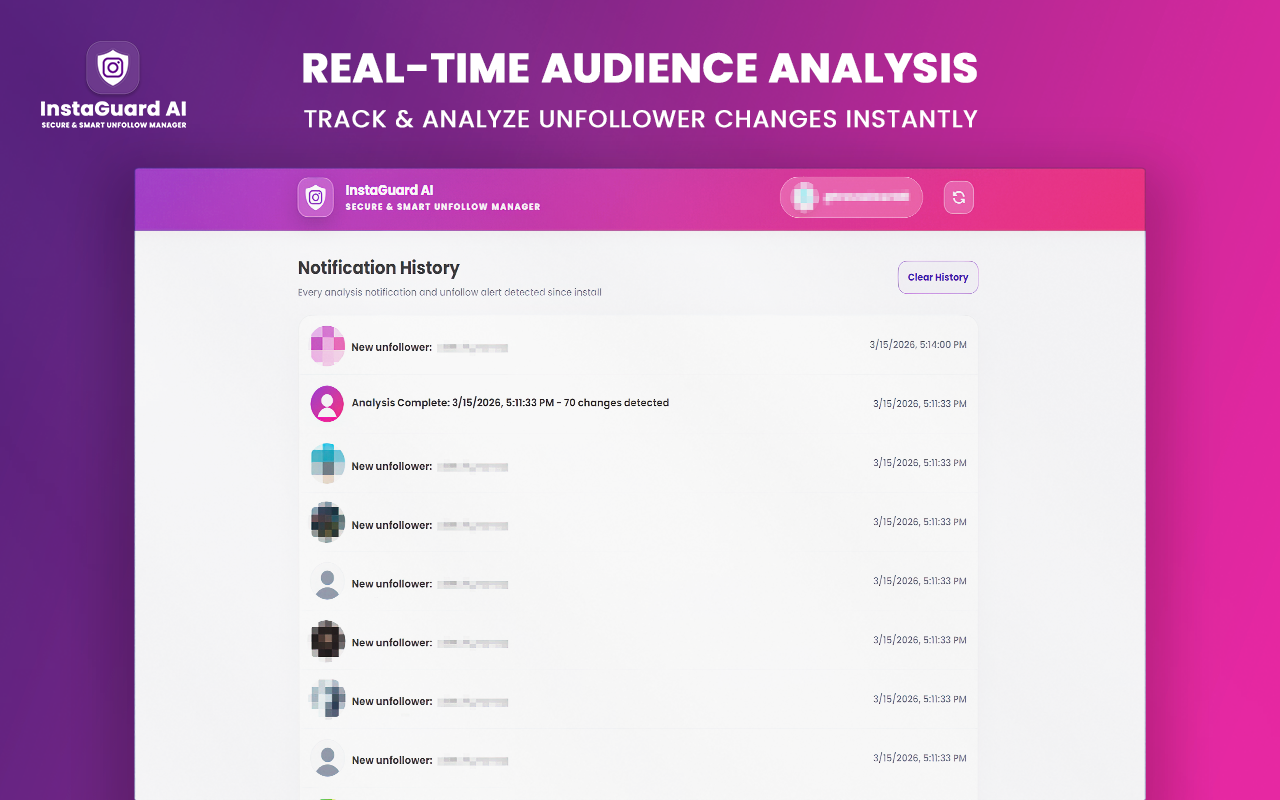
One of the most frustrating things about managing an account is not knowing when your status changes. InstaGuard AI provides Smart Analysis Notifications and real-time unfollower alerts. You will know exactly who left and when. Furthermore, our Comprehensive History dashboard keeps track of every change, allowing you to see your growth progress over time.
The "Rock-Solid" Background Difference
Most browser extensions struggle when you close the tab or switch to another window. InstaGuard AI is different. Thanks to our Rock-Solid Background Execution, the tool continues to monitor and manage your account even if the tab is minimized, ensuring you never miss a beat.
Final Thoughts: Quality Over Quantity
Managing your Instagram should feel like a premium experience, not a chore. By choosing a tool that respects your privacy and works locally on your machine, you are making a long-term investment in your account's safety. Stop wasting hours manually checking lists and start focusing on what truly matters: creating amazing content for your community.
Ready to Supercharge Your Instagram Growth?
Join thousands of creators who trust InstaGuard AI to manage their followers safely and efficiently. Click the link below to get started.
Looking to Optimize Your TikTok Presence Too?
If you found value in cleaning your Instagram feed, you likely understand that a clean audience is just as important on other platforms. Many of our users manage both Instagram and TikTok to build a cross-platform brand.
If you are struggling to maintain your following list on TikTok, we have developed a specialized solution just for that: TokGuard AI. It carries the same "Security-First" philosophy, on-device processing, and smart automation that you trust in InstaGuard. Check out our latest guide, [How to Safely Clean Your TikTok Following List with TokGuard AI], to learn how to apply these same professional management standards to your TikTok account.
Managing your social media ecosystem shouldn't be fragmented—ensure your growth is optimized everywhere.
Cleaning your profile is only half the battle; to truly scale your brand, you need to replace inactive accounts with real, highly targeted prospects. Once your feed is clean, you can immediately supercharge your outreach strategy by learning how to automate Instagram growth safely to fill your pipeline with active users in your niche.
Ready to Supercharge Your Instagram Growth?
Join thousands of creators who trust InstaGuard AI to manage their followers safely and efficiently.
Install InstaGuard AIFrequently Asked Questions
Is my account safe?▼
Yes, InstaGuard prioritizes your safety. Privacy-focused architecture ensures login details remain private and secure on your browser.
How does the auto-unfollow work?▼
It uses efficient, safe logic that respects platform boundaries, mimics natural behavior, and pauses automatically if limits are reached.
Do you store my data externally?▼
No, your follower data and whitelist are stored locally on your machine. We do not use external servers.
Can I use the tool while my browser tab is minimized?▼
Yes, absolutely. Unlike many other extensions, our tool is built with a rock-solid background execution engine, so it continues to work and monitor your account even if the tab is inactive or minimized.
What if I want to keep some accounts even if they don't follow me back?▼
We've got you covered! You can easily add any account to your personal "Whitelist" within the extension. Our auto-unfollow process will always skip whitelisted users, ensuring you never lose your important connections or favorite creators.
Nabil Wassim
Blog Author
Article Info
2026-06-08
5 min read
Nabil Wassim
Tutorial