
How to Export WhatsApp Contacts and Group Members with ContactGrab
2026-08-17
5 min read
Nabil Wassim
Tutorial
Learn how to export WhatsApp contacts, groups, custom labels, and address book data to CSV, Excel, JSON, or vCard with 100% local privacy.
Why Manual Contact Extraction Is Holding Your WhatsApp Outreach Back
1. The Operational Bottleneck of Manual Data Entry
In today's fast-paced digital business landscape, instant messaging platforms have evolved into the primary communication channel for customer acquisition, community management, and direct sales. WhatsApp, with its global reach and unmatched engagement rates, stands at the center of modern lead generation strategies. However, businesses and marketers frequently face a major hurdle: to efficiently manage and export whatsapp contacts information gathered across numerous group chats, customer inquiries, and event registries.
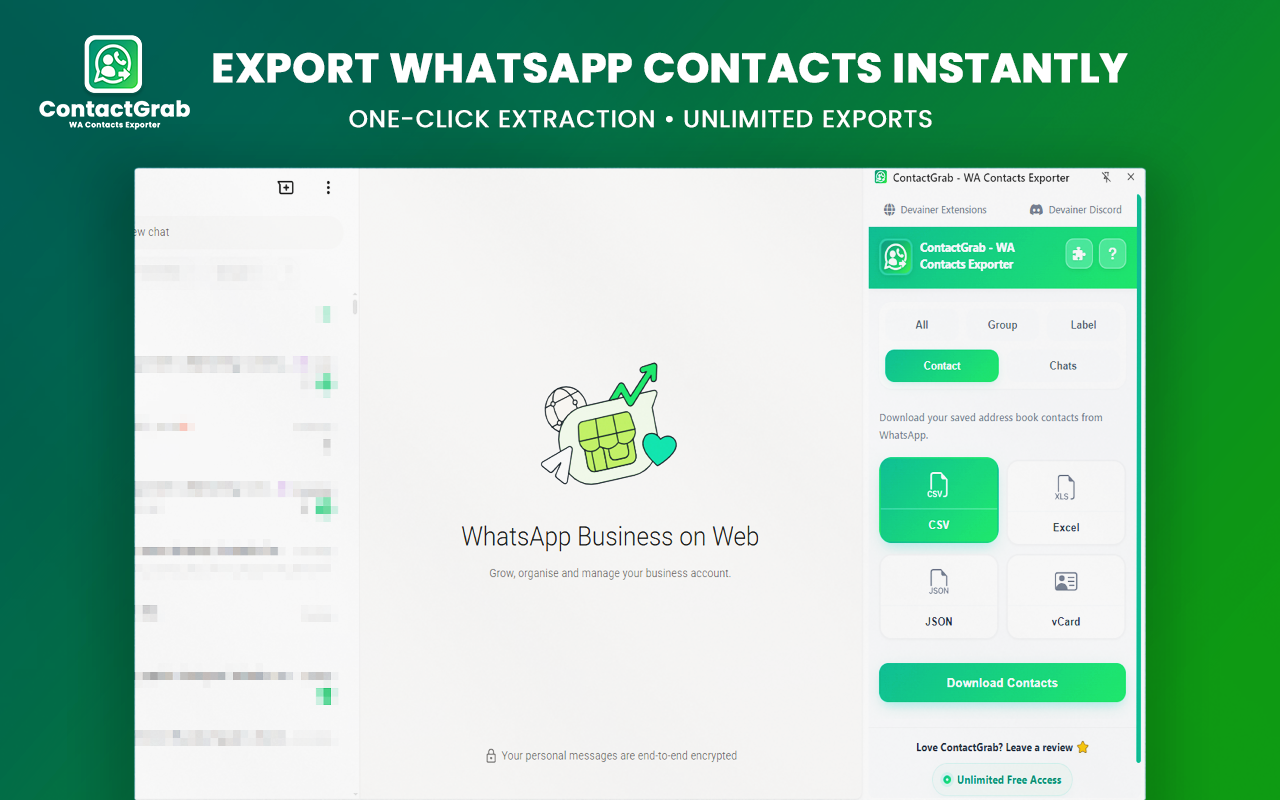
Manual contact saving from WhatsApp groups and chats takes hours of painstaking copy-pasting[cite: 1]. Managing client lists, event attendees, or sales leads manually is not only tedious—it creates massive operational bottlenecks that hinder team responsiveness[cite: 1]. Every minute spent manually copying phone numbers, formatting names, and cross-referencing contact cards is time stolen from core high-value activities such as pitching prospective clients, building relationships, and closing enterprise deals.
Furthermore, traditional third-party software tools designed to address this challenge often bring severe drawbacks. Many cloud-based Software-as-a-Service (SaaS) platforms charge exorbitant monthly subscription fees or require uploading sensitive contact databases to external cloud servers, creating significant security vulnerabilities and compromising user privacy[cite: 1]. In an era of strict global data protection regulations, outsourcing sensitive customer numbers to unverified third-party cloud servers is a risk few businesses can afford.
This reliance on manual data entry limits overall operational efficiency, increases human error, and causes severe delays in outreach execution[cite: 1]. To scale your WhatsApp contact management effectively, you need an automated lead extraction workflow directly inside your browser that runs locally with zero security risk[cite: 1].
2. Introducing ContactGrab: Comprehensive WhatsApp Contact Extraction
To overcome these productivity constraints and security risks, technical teams require a solution operating directly within their immediate browser workspace. That solution is ContactGrab - WA Contacts Exporter, a clean, powerful, privacy-first Chrome extension engineered to extract unlimited WhatsApp contacts, group members, custom labels, and address book entries effortlessly[cite: 1].
ContactGrab operates 100% client-side inside your browser sandbox, transforming your active WhatsApp Web session into a high-speed contact exporter without needing external API connections, complex backend configurations, or remote server storage[cite: 1]. By leveraging native browser APIs, it seamlessly parses active messaging sessions in real time, delivering clean, structured contact lists in milliseconds.
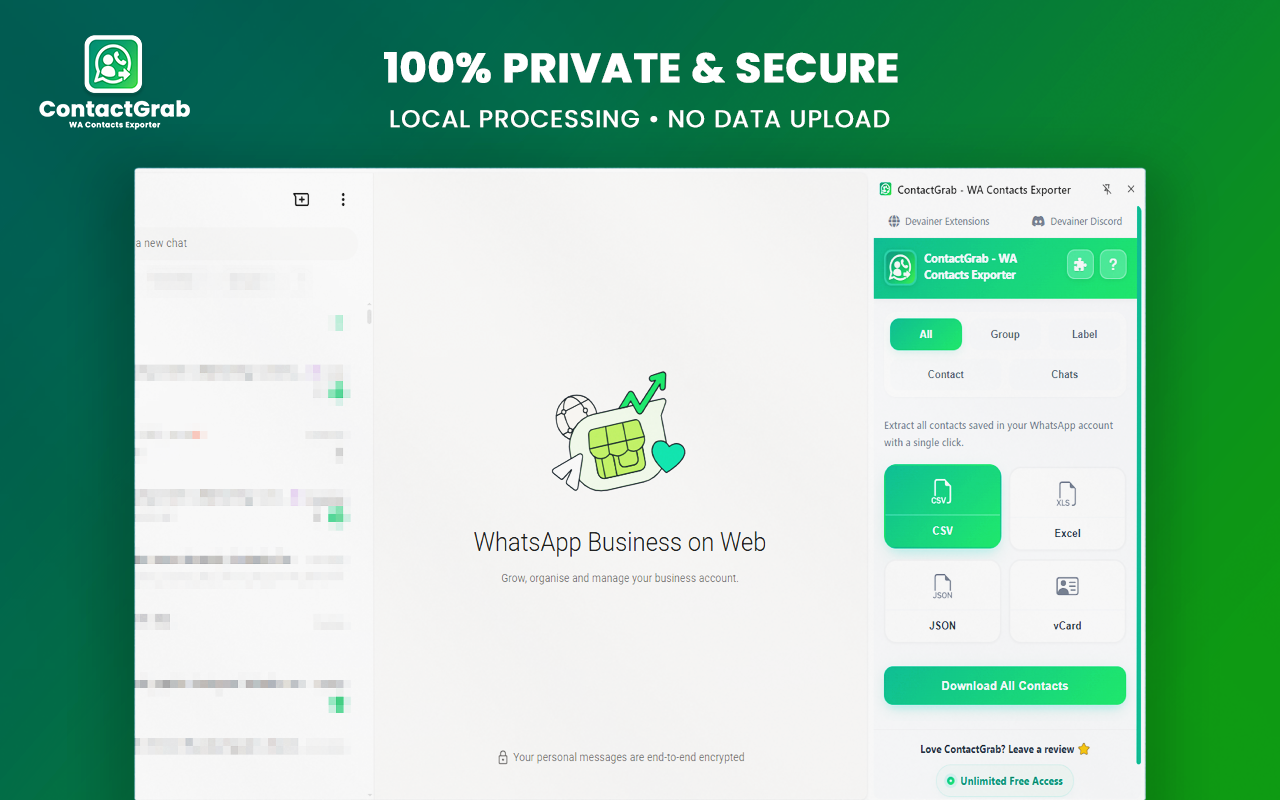
The Core Philosophy of ContactGrab: Absolute data ownership and uncompromised security. Your phone numbers, contact names, and chat logs are never uploaded to remote servers[cite: 1]. All extraction processes, data parsing, and file generation steps happen strictly on your local machine[cite: 1].
3. Primary Capabilities for Modern Workflows
ContactGrab is tailored specifically to meet the high standards of digital marketers, event organizers, community managers, and sales teams. Its key features include:
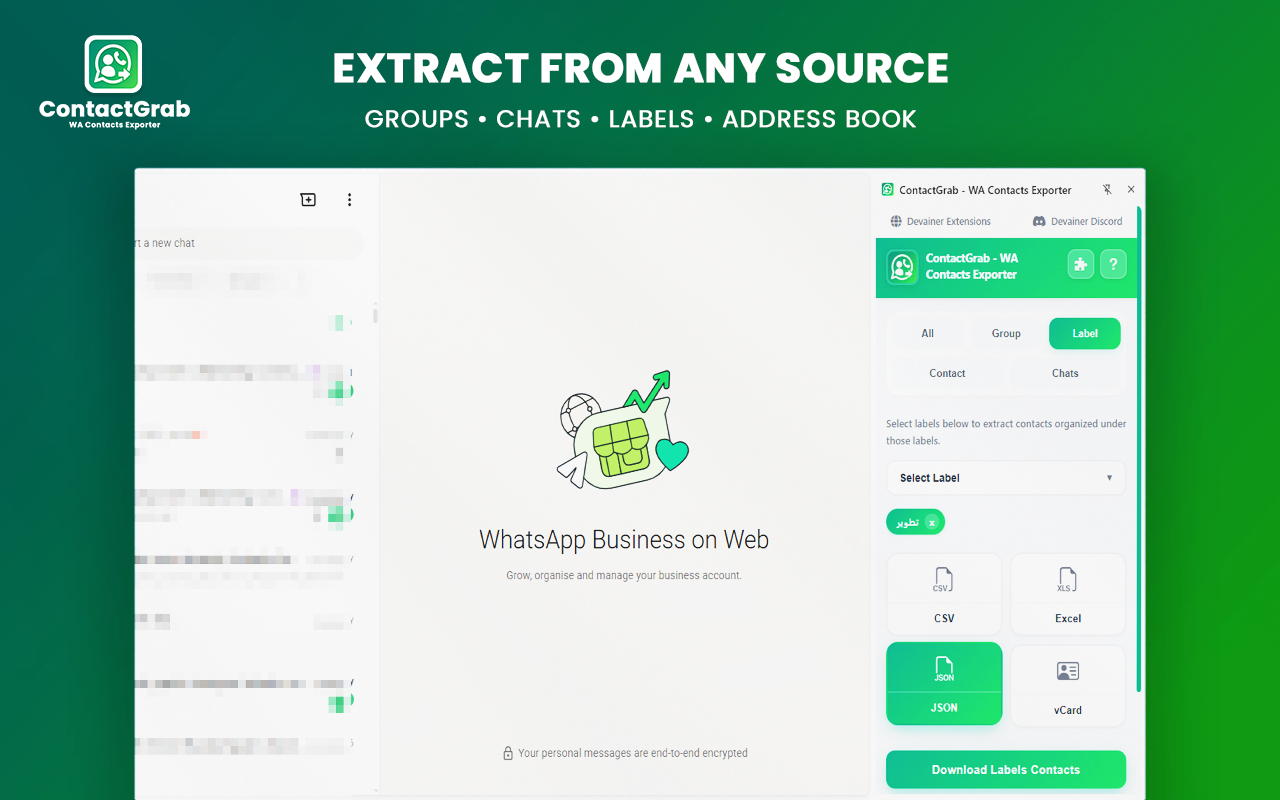
Five Targeted Extraction Sources: Extract contacts seamlessly across 5 distinct sources: All Saved Contacts, WhatsApp Groups, Custom Labels, Address Book, or Active Chats[cite: 1]. This multi-source flexibility lets you segment your audience precisely before running an export, ensuring clean and targeted outreach campaigns[cite: 1].
Advanced Group & Label Search Filtering: Target specific audience segments effortlessly without sifting through massive group inventories[cite: 1]. ContactGrab features built-in search functionality and interactive dropdown filtering, allowing you to isolate individual groups or specific WhatsApp Business labels before generating your output file[cite: 1].
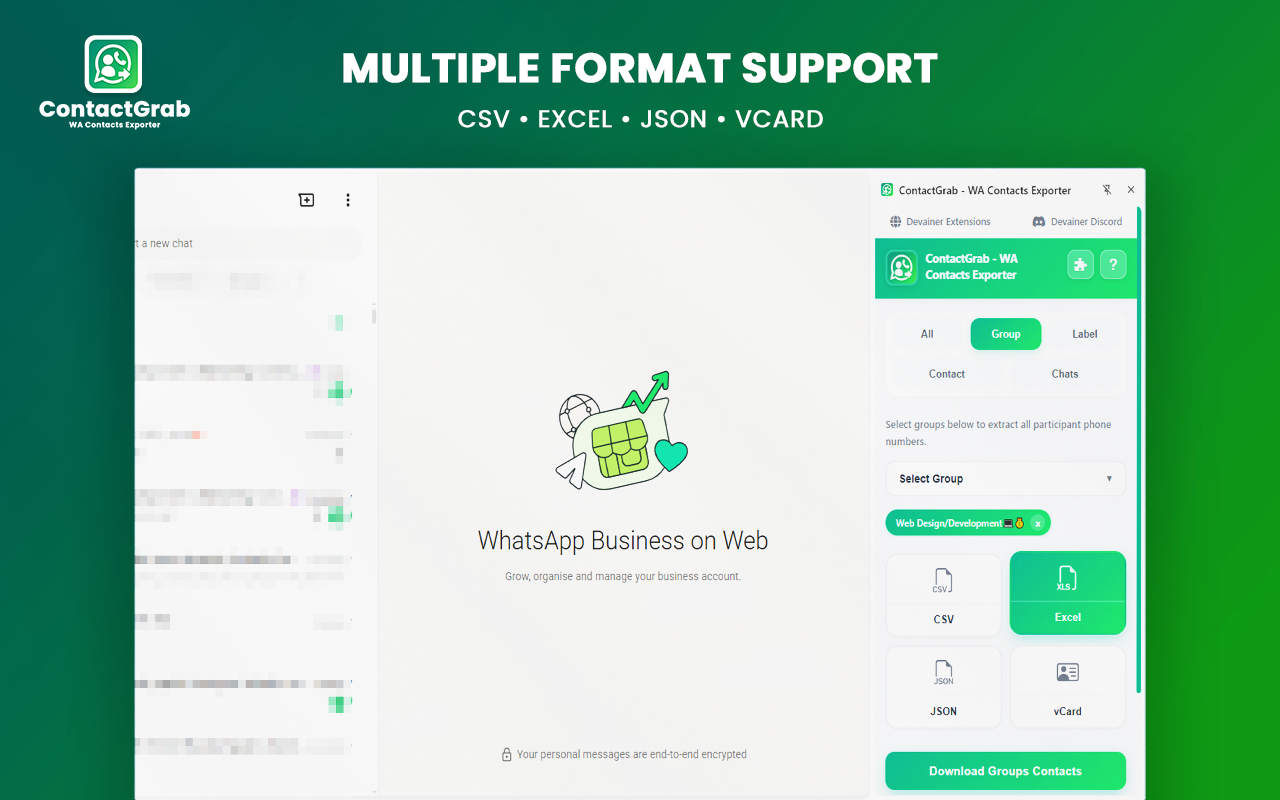
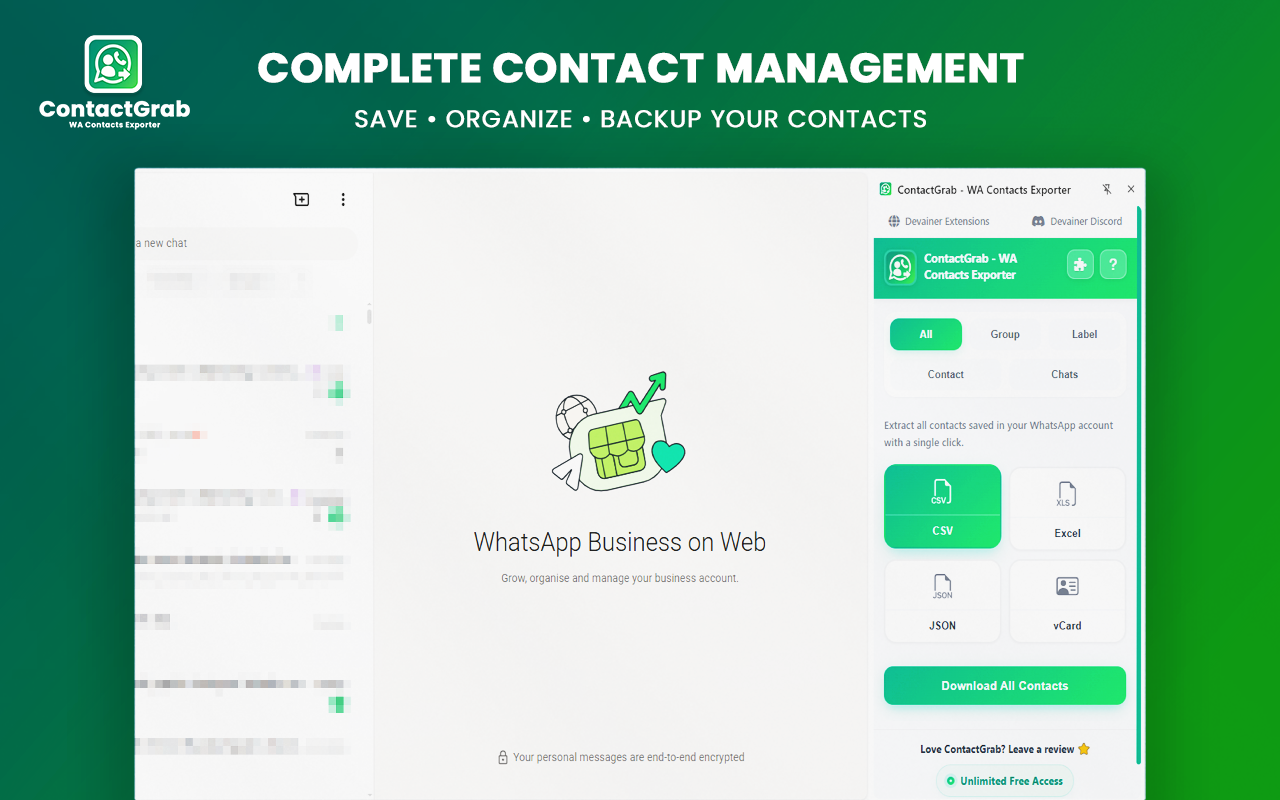
Four Multi-Format Export Options: Export your extracted data instantly into CSV, Excel (XLSX), JSON, or vCard (.vcf) formats[cite: 1]. Generating native vCard files enables direct, 1-click contact importing straight into your iPhone or Android address book, bypassing spreadsheet conversion tools entirely[cite: 1].
100% Client-Side Local Privacy: ContactGrab executes entirely within your browser environment[cite: 1]. There is zero data tracking, zero telemetry harvesting, and zero remote storage—guaranteeing complete confidentiality for your client relationships and proprietary lead lists[cite: 1].
Global Language Support: Built from the ground up for international team workflows, ContactGrab features a fully localized user interface supporting 63 languages worldwide, allowing global remote teams to collaborate seamlessly[cite: 1].
4. How to Export WhatsApp Contacts in 3 Simple Steps
Transitioning from slow, manual copy-pasting to an automated local workflow requires no technical skills or coding knowledge[cite: 1]. Follow these three simple steps to extract your target contacts in seconds[cite: 1]:
Open WhatsApp Web: Navigate to
web.whatsapp.comin your Google Chrome browser and verify that your session is active[cite: 1]. Click the ContactGrab icon in your browser toolbar to launch the intuitive control interface[cite: 1].Select Source & Format: Choose your desired extraction source from All Contacts, Groups, Labels, Address Book, or Active Chats[cite: 1]. Next, select your preferred output file format: CSV, Excel (XLSX), JSON, or vCard (.vcf)[cite: 1].
Click Extract & Export: Click the Extract button to process your list locally in real time[cite: 1]. Download your clean, structured contact file instantly and import it into your preferred CRM software or mobile phone address book[cite: 1].
5. Conclusion: Fast, Secure & Free WhatsApp Data Management
The foundation of effective direct outreach and successful sales pipelines is rapid access to clean, organized data[cite: 1]. Continuing to struggle with tedious manual copy-pasting or risking client confidentiality with expensive, cloud-based scraping services is a massive waste of resources[cite: 1]. Equipping your browser with ContactGrab gives you a fast, native-feeling, and powerful interface designed for effortless WhatsApp contact management—completely free and 100% private[cite: 1].
Ready to Export Your WhatsApp Contacts?
Organize your groups, back up your address book, and export contacts in seconds.
Install ContactGrab NowFrequently Asked Questions
Is my WhatsApp contact data safe and private?▼
Yes, absolutely. All processing is done 100% locally within your browser. We never collect, store, or transmit your phone numbers or contact details to remote servers.
Is ContactGrab really free and unlimited?▼
Yes. There are no hidden fees, trial limits, or paywalls. You can export unlimited contacts from groups, labels, and chats.
Can I export contacts from specific groups or labels?▼
Yes! ContactGrab features interactive dropdown menus and search bars so you can filter and export specific groups or labels easily.
How do I import the exported vCard (.vcf) file into my phone?▼
Simply download the .vcf file, send it to your phone or Google Contacts / iCloud, and open it to import all contacts directly into your phone address book.
What should I do if WhatsApp Web is not detected?▼
Make sure web.whatsapp.com is open and fully loaded in your browser. If the issue persists, refresh the WhatsApp Web page or click "Open WhatsApp" inside the extension.
Nabil Wassim
Blog Author
Article Info
2026-08-17
5 min read
Nabil Wassim
Tutorial