
How to Download Pinterest Videos, GIFs and Images in HD
2026-10-05
5 min read
Nabil Wassim
Tutorial
Learn how to download Pinterest videos, GIFs, and images in HD with PinScoop. Save Pinterest media quickly, easily, and without complicated steps.
How to Download Pinterest Videos, GIFs & Images in HD
How to Download Pinterest Videos, GIFs and Images in HD? Pinterest is packed with creative content, from videos and animated GIFs to high-quality images, tutorials, design inspiration, recipes, travel ideas, and much more.
Sometimes, you may want to save this content to your device so you can access it later, organize your inspiration, or keep useful media available offline. However, Pinterest doesn't always provide a direct way to download every type of media.
That’s where PinScoop comes in.
PinScoop is a Pinterest media downloader designed to help you download Pinterest videos, GIFs, and images in HD quickly and easily. You can use the web downloader, install the PinScoop browser extension, download media from public Pinterest boards, or even use the PinScoop Telegram Bot.
In this guide, we’ll show you how each option works.
What Is PinScoop?

PinScoop is a collection of tools built specifically for downloading Pinterest media.
Instead of using a different downloader for videos, images, GIFs, and boards, PinScoop brings these options together in one ecosystem.
With PinScoop, you can:
Download Pinterest videos
Download Pinterest GIFs
Download Pinterest images
Save available media in HD quality
Download directly while browsing Pinterest
Analyze public Pinterest boards
Select multiple Pins from a board
Download selected board media together
Use PinScoop through Telegram
Use the browser extension in multiple languages
Whether you only need to save one image or want to collect media from an entire public board, you can choose the PinScoop tool that fits your needs.
How to Download Pinterest Videos, GIFs & Images
The easiest way to get started is with the PinScoop Pinterest Pin Downloader.
Step 1: Find the Pinterest Pin
Open Pinterest and find the Pin containing the video, GIF, or image you want to download.
Step 2: Copy the Pin URL
Copy the URL from your browser’s address bar or use Pinterest’s sharing options to copy the Pin link.
Step 3: Paste the Link into PinScoop
Open the PinScoop Pinterest Downloader and paste the Pinterest URL into the downloader field.
Step 4: Click Download
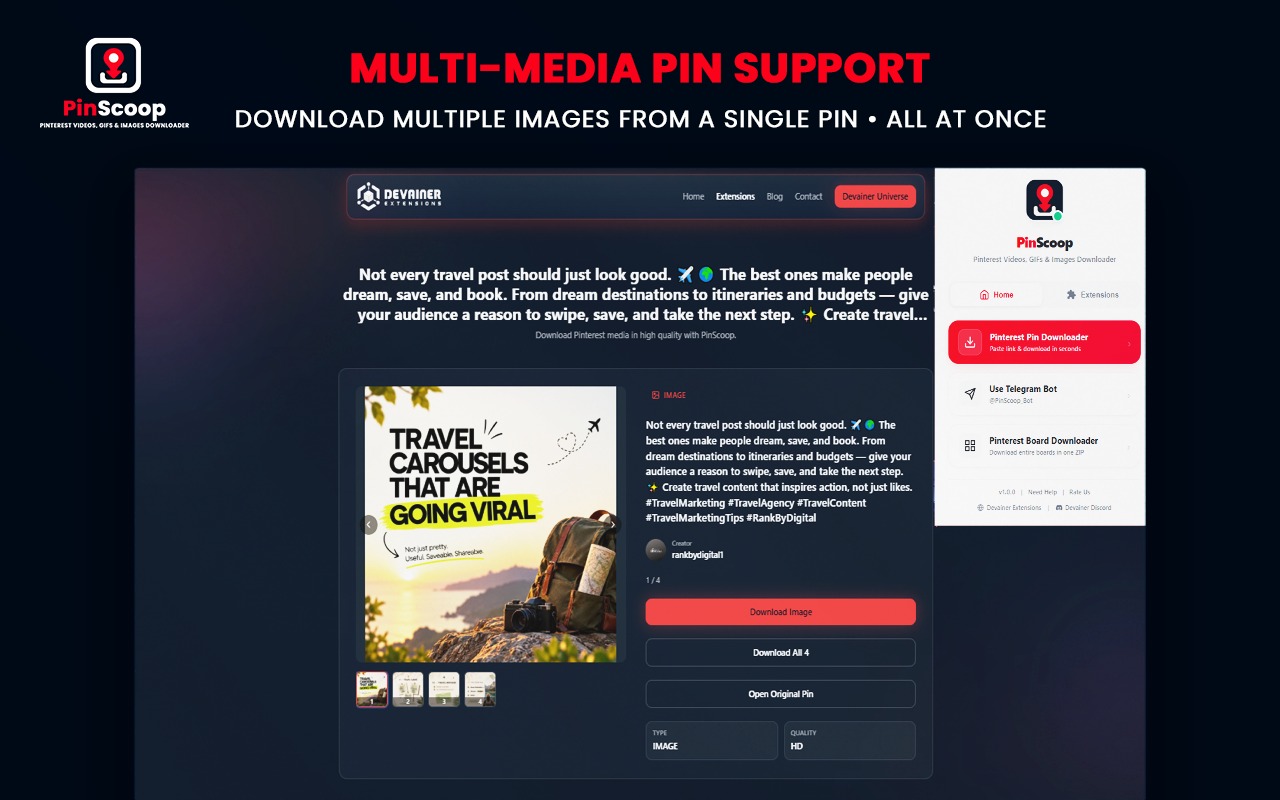
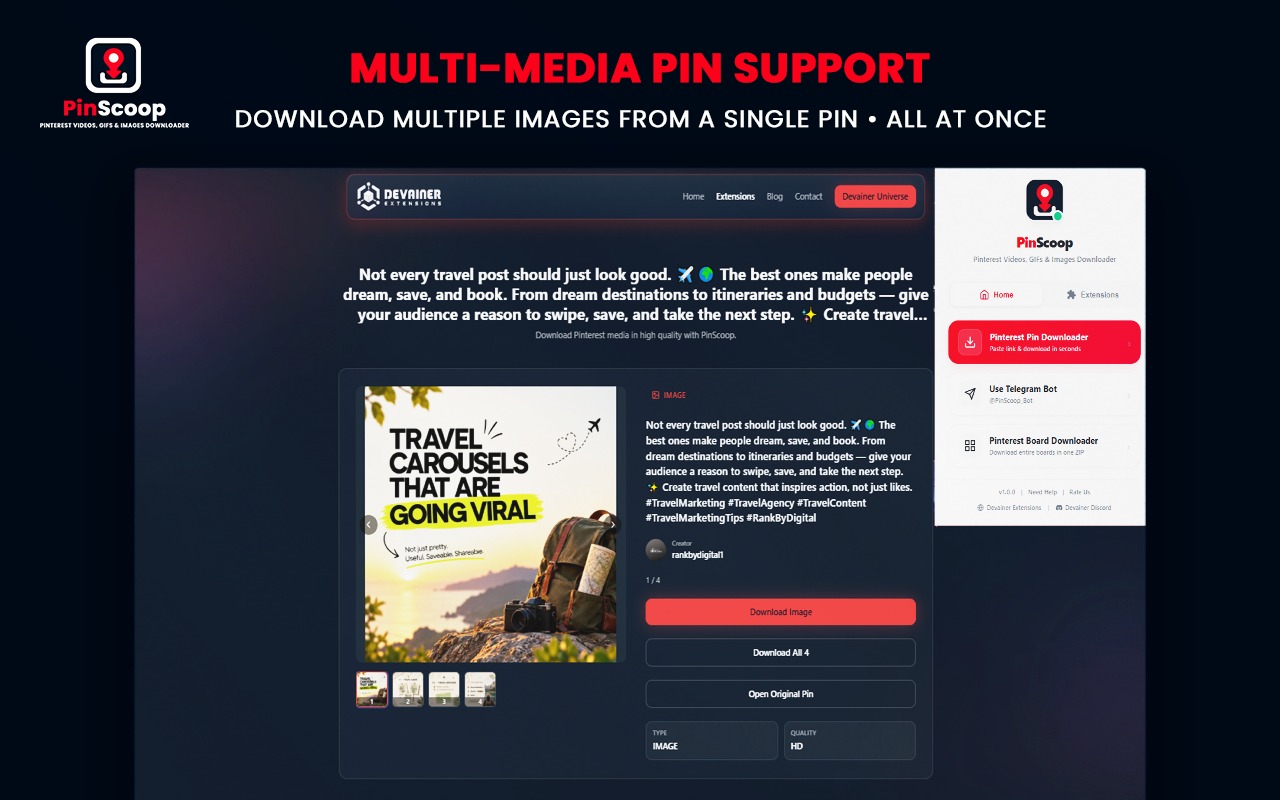
Click the Download button. PinScoop will analyze the Pin and detect the available media.
Depending on the Pin, this may include an image, video, GIF, or multiple media items.

Step 5: Download Your Media
Once PinScoop finishes analyzing the Pin, select the available media and save it to your device.
The whole process takes just a few steps:
Find a Pinterest Pin.
Copy its URL.
Paste the link into PinScoop.
Click Download.
Choose the available media.
Save it to your device.

Download Directly While Browsing Pinterest
If you frequently download Pinterest media, copying and pasting URLs every time can become repetitive.
That’s why PinScoop also includes a browser extension.
The extension integrates PinScoop directly into your Pinterest browsing experience. When you're viewing supported Pinterest content, the extension provides a convenient Download option so you can quickly start downloading the Pin.
This is particularly useful if you regularly browse Pinterest for:
Design inspiration
Creative ideas
Reference images
Videos and GIFs
Marketing inspiration
Content ideas
The PinScoop extension is also available with a multilingual interface, making it easier to use across different languages.


Download Multiple Pins from a Pinterest Board
Sometimes downloading individual Pins isn’t enough.
You might find a public Pinterest board containing multiple useful images and videos and want to save several of them without opening every Pin individually.
PinScoop includes a dedicated Pinterest Board Downloader for this.
Simply paste the URL of a public Pinterest board into the Board Downloader. PinScoop will analyze the board and display the available Pins.
You can then:
Browse the available Pins.
Select the Pins you want.
Deselect anything you don’t need.
Download your selected media together.
This makes PinScoop useful not only for individual Pins but also for larger Pinterest collections.

Downloading multiple Pinterest Pins can be especially useful for e-commerce entrepreneurs who rely on visual research to discover trending products and explore creative marketing ideas. By collecting product images, videos, and inspiration from relevant boards, store owners can build organized research libraries and identify opportunities for their online businesses. To explore this approach further, check out our guide on how to scale your e-commerce store using Pinterest product sourcing in 2026, covering product discovery, visual research, and practical strategies for growing an online store.
Download Pinterest Boards Directly from Pinterest
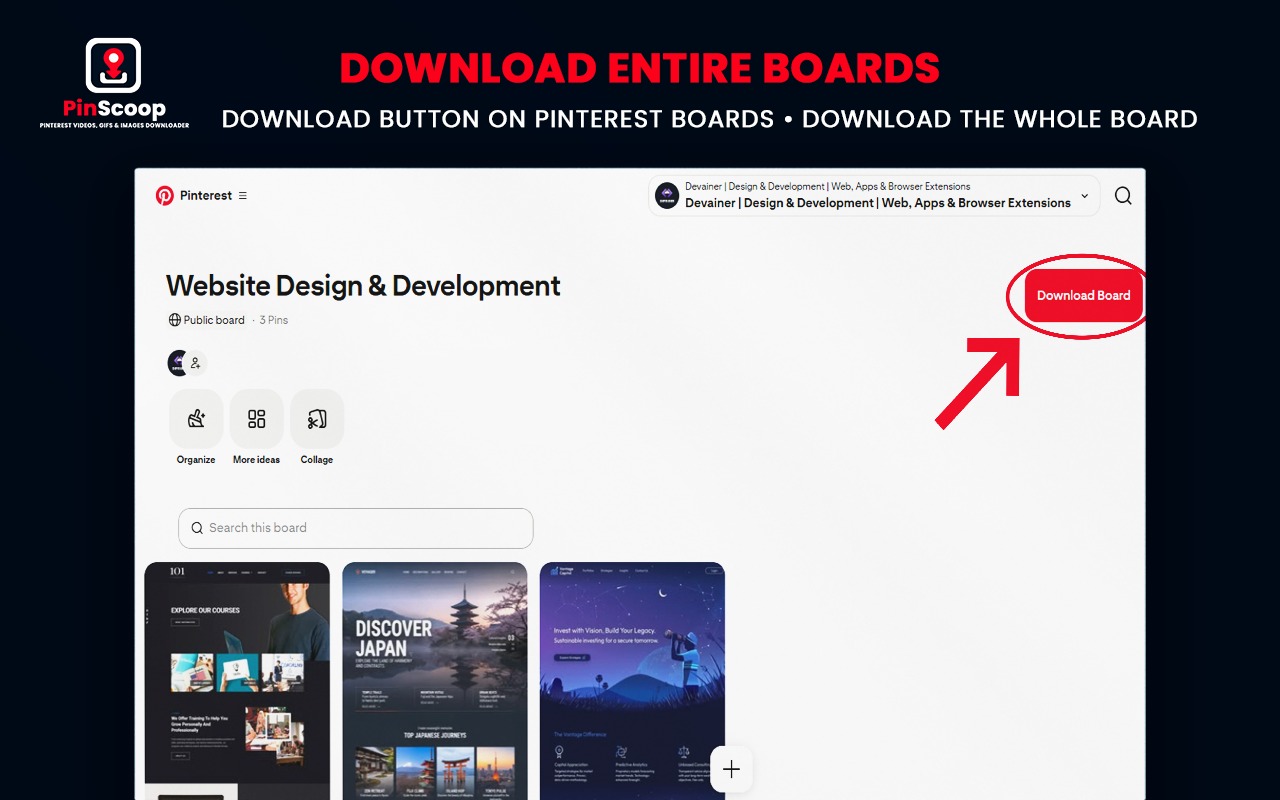
The PinScoop browser extension also makes the Board Downloader easier to access.
When you open a supported Pinterest board, PinScoop can display a Download Board button directly on the Pinterest board page.
Instead of manually navigating to another tool and finding the board again, you can move directly from Pinterest to the PinScoop Board Downloader.
From there, you can browse the board’s Pins, select your favorites, and download the media you need.

Use PinScoop with Telegram
PinScoop isn’t limited to the website or browser extension.
You can also use the PinScoop Telegram Bot when you want a convenient way to access PinScoop through Telegram.
Send a supported Pinterest Pin or Board link to the bot, and PinScoop will process the link and provide the appropriate download option.
This gives you another way to use PinScoop without relying exclusively on the website.
Why Use PinScoop?
PinScoop combines several Pinterest downloading options into one ecosystem.
Instead of offering only a basic URL downloader, it gives you multiple ways to work with Pinterest media:
Videos, GIFs & Images — support for different Pinterest media types.
HD Quality — download media in the available high quality.
Pinterest Integration — access download options while browsing Pinterest.
Board Downloader — browse and select media from public Pinterest boards.
Bulk Downloads — download selected board media together.
Telegram Bot — work with Pinterest Pin and Board links through Telegram.
Multilingual Extension — use the extension interface in multiple languages.
Fast & Lightweight — designed to keep the downloading process simple.
Final Thoughts
Whether you want to download a Pinterest video, save a GIF or image, or collect multiple Pins from a public Pinterest board, PinScoop gives you several ways to do it.
For individual Pins, use the Pinterest Pin Downloader or the browser extension. For collections, use the Pinterest Board Downloader to select multiple Pins. And if you prefer Telegram, you can send supported Pin and Board links directly to the PinScoop Telegram Bot.
With the website, browser extension, Board Downloader, and Telegram Bot working together, PinScoop provides a complete toolkit for downloading Pinterest media quickly and easily.
Ready to Download Pinterest Media?
Download Pinterest videos, GIFs, and images in HD with PinScoop — fast, simple, and free.
Install PinScoop NowFrequently Asked Questions
Can I download Pinterest videos with PinScoop?▼
Yes. PinScoop can detect supported Pinterest videos and let you download the available media directly.
Can I download Pinterest images and GIFs?▼
Yes. PinScoop supports Pinterest videos, GIFs, and images, depending on the media available in the Pin.
Can I download an entire Pinterest board?▼
PinScoop includes a Pinterest Board Downloader for public boards. You can browse the available Pins, choose the ones you want, and download your selection.
Does PinScoop have a Chrome extension?▼
Yes. The PinScoop browser extension makes it easier to download supported Pinterest media while browsing Pinterest.
Can I use PinScoop on Telegram?▼
Yes. You can send supported Pinterest Pin and Board links to the PinScoop Telegram bot at @PinScoop_Bot.
Nabil Wassim
Blog Author
Article Info
2026-10-05
5 min read
Nabil Wassim
Tutorial