
HomeBlog100% Private Lead Extraction Tool in 2026: Why Local Browser Processing Beats Cloud Scrapers
100% Private Lead Extraction Tool in 2026: Why Local Browser Processing Beats Cloud Scrapers
2026-10-08
5 min read
Nabil Wassim
Tutorial
Protect your company data with a 100% private lead extraction tool in 2026. Compare local browser processing with risky cloud scrapers for secure B2B prospecting.
100% Private Lead Extraction Tool in 2026: Why Local Browser Processing Beats Cloud Scrapers
Choosing a secure, private lead extraction tool is becoming an absolute imperative for B2B sales teams, enterprise agencies, and IT compliance officers operating in 2026. As corporate data protection regulations like GDPR, CCPA, and global privacy frameworks grow increasingly strict, business prospecting workflows are facing intense security scrutiny. For years, digital marketing teams relied heavily on centralized cloud scraping services to aggregate client contact directories. However, transmitting sensitive search queries, target domain lists, and client contact data to third-party cloud servers creates unacceptable security vulnerabilities and regulatory liabilities.
In the modern enterprise sales ecosystem, data control is just as critical as data volume.
When sales organizations expose their proprietary prospect databases or target account lists to external server networks, they risk data leaks, compliance breaches, and session hijacking.
In this comprehensive 2026 security guide, we will analyze the compliance risks of traditional cloud scraping, explore the architecture of 100% local client-side extraction, and demonstrate how Fetch AI Smart Email & Phone Extractor delivers enterprise-grade performance without compromising privacy.
The Hidden Vulnerabilities of Legacy Cloud Scraping Infrastructure
To understand why privacy-conscious organizations are abandoning traditional scraping platforms, digital managers must examine how server-side data collection operates under the hood.
1. Third-Party Server Logging and Data Leakage
Traditional web scraping platforms operate on centralized cloud infrastructure. When a user enters target domain lists into a web dashboard, those requests are transmitted across public networks to remote application servers.
Once received, the provider processes the request through enterprise cloud subnets and logs every target URL, search parameter, and extracted contact inside their backend databases.
This architecture creates a severe privacy flaw: your proprietary target list—representing your company’s core sales strategy—is stored on third-party servers. If the cloud vendor suffers a database breach or sells aggregated search telemetry to data brokers, your prospective client intelligence is immediately compromised.
2. Proxy Flagging and Session Suspension Risks
Cloud scrapers execute thousands of HTTP requests across shared proxy pools to bypass website access limits. However, modern website firewalls and Cloudflare security systems actively monitor incoming traffic for enterprise datacenter IP ranges (such as AWS, DigitalOcean, or Hetzner).
When target websites detect automated cloud scrapers querying contact pages, they immediately block the IP address, trigger intrusive CAPTCHA challenges, or return broken page responses. This leads to incomplete contact datasets and increases the risk of corporate IP blacklist flags.
The Local Browser Advantage: How Fetch AI Reinvents Data Security
To eliminate external server risks, modern security architects favor local client-side execution. Fetch AI Smart Email & Phone Extractor was designed from the ground up with a strict Privacy-First Architecture, ensuring all data collection occurs entirely within your local browser context.
1. Zero External Server Transmission (100% Local Processing)
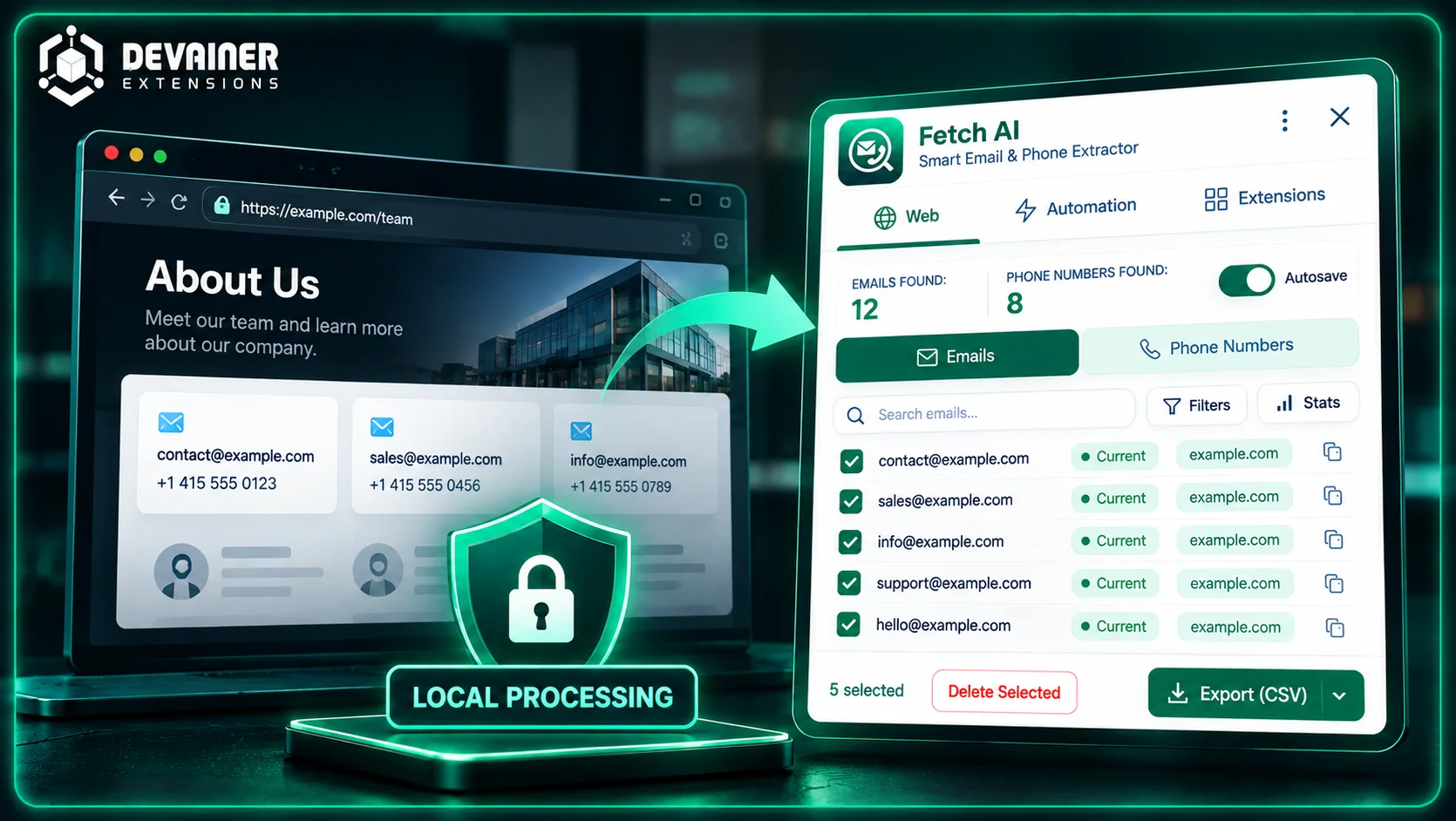
Unlike legacy SaaS dashboards, Fetch AI does not route your browsing sessions or search targets through external backend servers. Every extraction algorithm, email detection pattern, and phone number parser executes directly inside your local Chromium browser instance.
When you process a list of target company domains, Fetch AI utilizes your computer’s local CPU and your active network connection. Because no data ever leaves your device, third parties cannot monitor, log, or sell your sales research telemetry.
2. Authentic Residential Browser Fingerprinting
Because Fetch AI operates within your official, logged-in desktop browser session, your network traffic appears completely organic to target web servers. Every page inspection uses your authentic residential Wi-Fi or corporate IP address and standard browser headers.
This seamless integration completely bypasses anti-bot cloud filters, eliminating blocked requests, IP bans, and CAPTCHA loops while guaranteeing maximum contact extraction success rates.
Key Operational Features of Fetch AI for Security-Conscious Teams
Beyond uncompromised privacy, enterprise lead generation workflows require high-speed automation, versatile bulk processing, and clean output formatting.
1. Smart Page Scanning
While navigating corporate websites, company team directories, or industry registries, Fetch AI scans the DOM structure locally in real time. It automatically isolates valid email formats and phone number strings without needing user interaction or manual copying.
2. Batch URL Processing (1,000 URLs at Once)
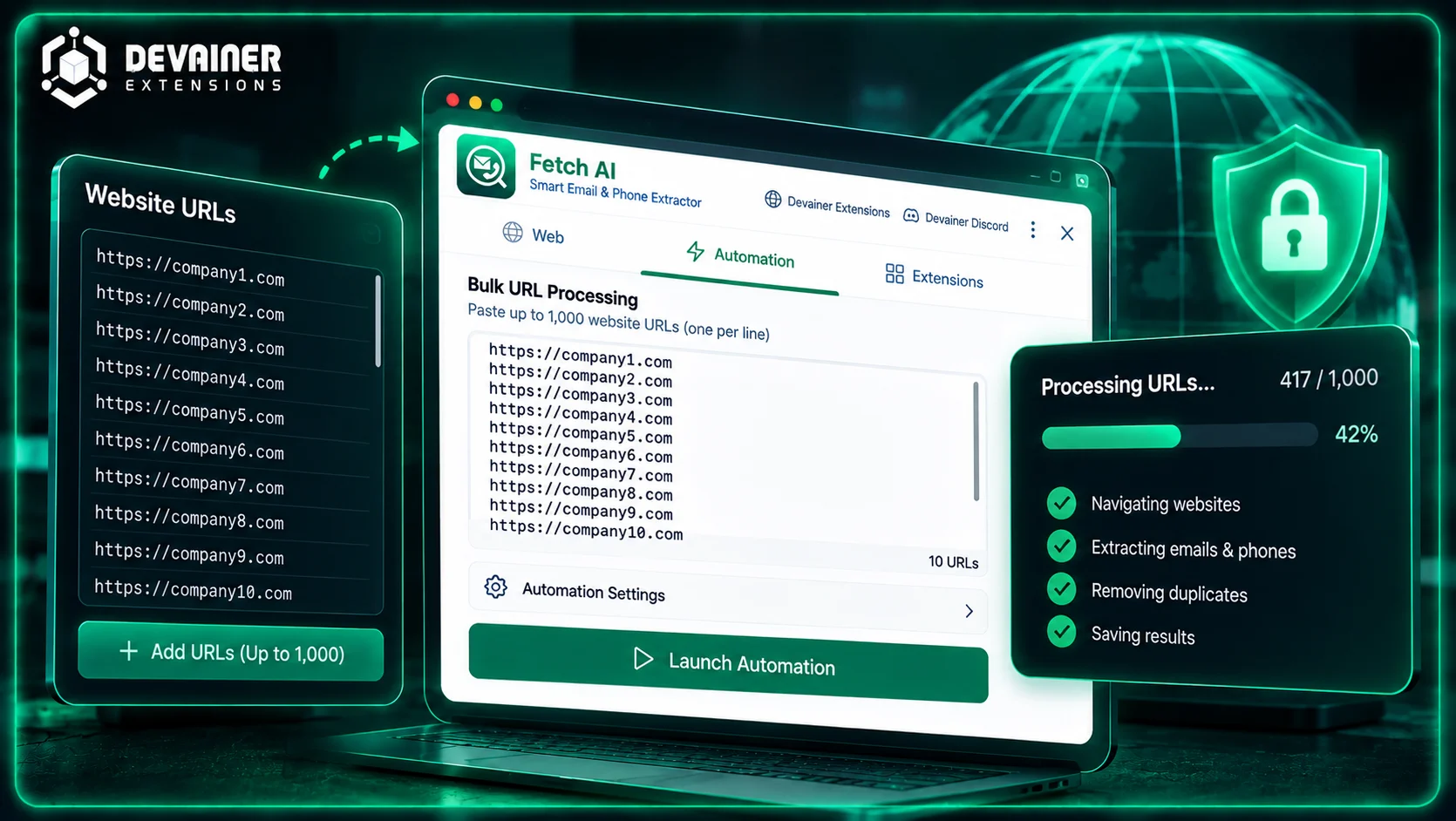
For large-scale prospecting campaigns, Fetch AI allows users to input up to 1,000 target domain links simultaneously into its local queue. The extension automates background tab navigation, crawls pages, extracts public contact records, and removes duplicate entries locally without slowing down your system.
3. Universal Secure Exporting
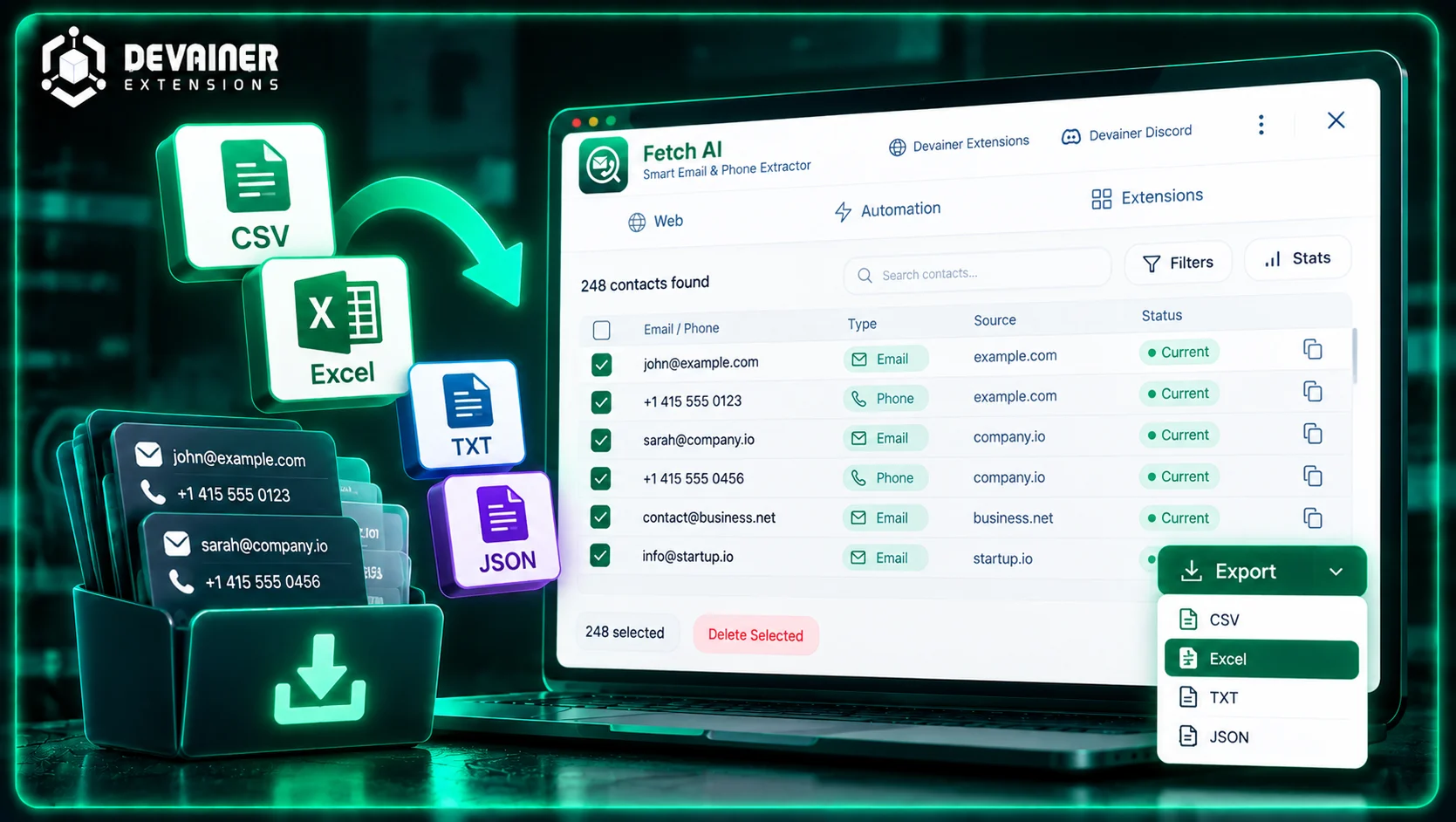
Extracted contacts are stored in your browser’s temporary, encrypted local session storage. Once data collection finishes, you can export structured lists directly into standard enterprise formats, including CSV, Excel (XLSX), TXT, and JSON.
Because exports originate directly from your browser memory, no temporary files remain stored on cloud servers.
Secure lead extraction is not just about protecting business data; it can also create new revenue opportunities for freelancers and digital agencies. If you're interested in turning your contact extraction skills into a profitable service, explore our guide on how to make money selling B2B leads in 2026, which covers finding high-value prospects, automating contact collection with Fetch AI, pricing lead generation services, and building recurring client relationships.
Comparing Lead Extraction Architectures
To assist IT directors and revenue leaders in selecting the most secure technology stack, the following analysis contrasts the three primary lead generation frameworks across critical security and operational criteria:
1. Local Browser Processing (Fetch AI)
Data Security & Privacy: 100% Secure. Runs entirely inside local browser context with zero server telemetry or external logging.
Network Request Type: Authentic client-side browser navigation originating from local residential/corporate IP.
Anti-Bot Resistance: Superior. Passes Cloudflare and Web Application Firewall (WAF) checks seamlessly.
Compliance Alignment: Fully aligned with GDPR, CCPA, and internal corporate data governance policies.
Subscription Overhead: Zero recurring API credit limits; unlimited local extraction capability.
Export Formats: Direct local export to CSV, Excel (XLSX), TXT, and JSON.
2. Enterprise Cloud Scraping Services
Data Security & Privacy: Critical Risk. Transmits target domain lists and extracted contacts to remote cloud databases.
Network Request Type: Server-side HTTP requests originating from shared datacenter proxy subnets.
Anti-Bot Resistance: Low. Frequently triggers CAPTCHAs, rate-limit blocks, and IP bans.
Compliance Alignment: High regulatory exposure due to third-party data processing and remote storage.
Subscription Overhead: Expensive recurring monthly software fees tied to strict per-lead credit caps.
Export Formats: Downloadable from central cloud web portals.
3. Manual Copy-Pasting
Data Security & Privacy: Secure locally, but introduces severe operational inefficiency.
Network Request Type: Standard human browsing activity.
Anti-Bot Resistance: High, but limited by human execution speed.
Compliance Alignment: Safe, but prone to human copy-paste errors and incomplete data records.
Subscription Overhead: High indirect operational cost due to lost workforce productivity.
Export Formats: Manual entry into spreadsheets.
Step-by-Step Guide: Deploying Secure Local Extraction Workflows
Implement this 4-step execution framework to establish a secure, compliant lead generation pipeline within your sales team:
Phase 1: Installation and Security Audit
Install Browser Extension: Add Fetch AI Smart Email & Phone Extractor to your Chromium-based browser toolbar.
Verify Privacy Rules: Confirm that your network monitoring tools reflect zero outbound traffic to external analytical servers during operation.
Phase 2: Target Data Preparation
Assemble Target Domains: Gather your list of target B2B websites, industry registries, or partner directories.
Queue Bulk URL Processing: Open the Fetch AI dashboard and paste up to 1,000 target domain links into the local Batch URL queue.
Phase 3: Local Automated Extraction
Execute Scan: Launch the batch processing sequence. Allow Fetch AI to parse target pages locally in the background.
Review Real-Time Logs: Monitor real-time extraction metrics as the local deduplication engine automatically purges duplicate contact records.
Phase 4: Encrypted Local Export
Select File Format: Choose your preferred export destination (CSV or Excel for CRM integration, JSON for internal database pipelines).
Save Directly to Local Storage: Export the finalized contact spreadsheet directly to your encrypted local disk drive for immediate deployment in your cold outreach software.
Frequently Asked Questions (FAQ)
Q: Why is local browser processing considered safer than cloud-based web scraping?
A: Local browser processing executes all data parsing locally on your device without sending target URLs, passwords, or extracted contact details to external third-party servers. This eliminates data leakage risks, third-party tracking, and remote database security breaches.
Q: Does Fetch AI store any of my extracted email or phone number lists?
A: No. Fetch AI adheres to a strict zero-tracking architecture. All extracted data remains strictly within your local browser's volatile memory until you export the file or clear your browser session data.
Q: How does local extraction prevent target websites from blocking my IP?
A: Because Fetch AI operates within an authentic desktop browser instance, network requests match standard human browsing telemetry. This avoids the datacenter IP flags that typically trigger anti-bot blocks on cloud scraping platforms.
Q: Can Fetch AI process multiple website pages simultaneously in the background?
A: Yes. The Batch URL Processing feature processes up to 1,000 URLs sequentially in local background browser tabs, allowing you to focus on other work while the extension automatically compiles clean lead lists.
Protect Your Data with Local Lead Extraction
Eliminate third-party data tracking and cloud server leaks. Extract thousands of verified business contacts safely inside your local browser using Fetch AI Smart Email & Phone Extractor.
Install Fetch AI ExtensionNabil Wassim
Blog Author
Article Info
2026-10-08
5 min read
Nabil Wassim
Tutorial